Networks
Networks shows all networks discovered by ntopng and configured in the configuration file (-m option).
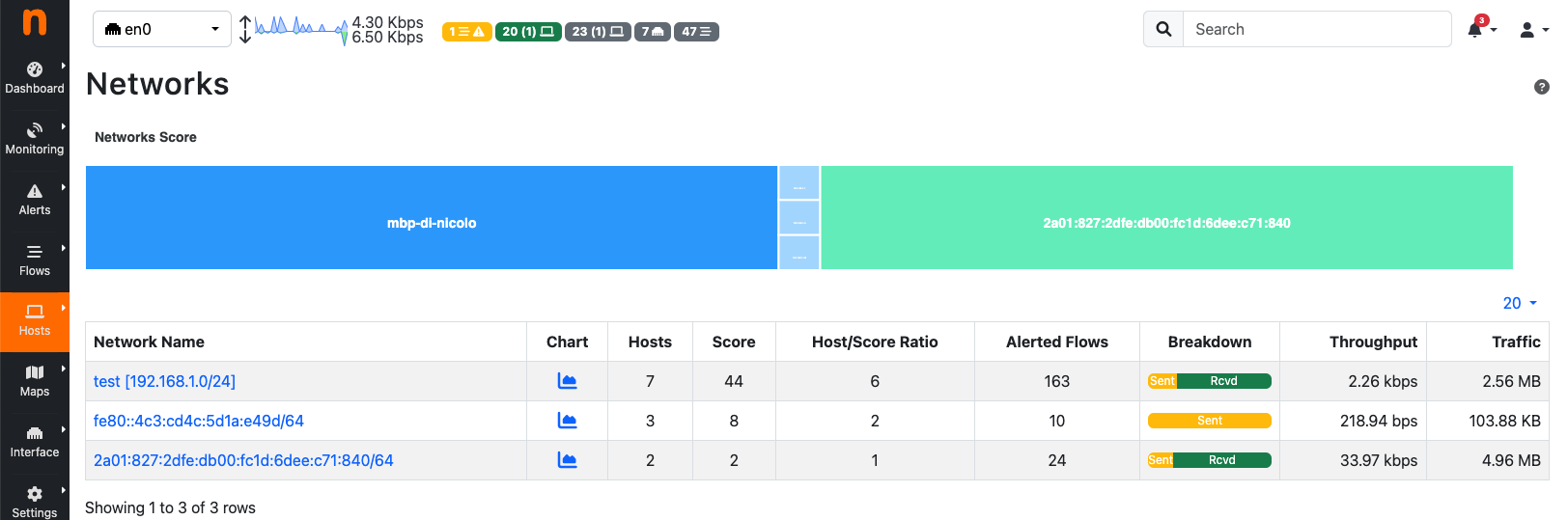
The Networks Summary Page
For each network discovered ntopng provides the number of hosts, alerts triggered, date of discovery, breakdown, throughput, traffic. Network names can be clicked to display the hosts lists inside the network selected.
Also by editing a network (from the Actions column), it is possible to rename a Network and assign a Label/Name to it
Networks Dashboard
Note
This feature is available only with at least an Enterprise M license
The network page is moved to the Dashboard Sites.
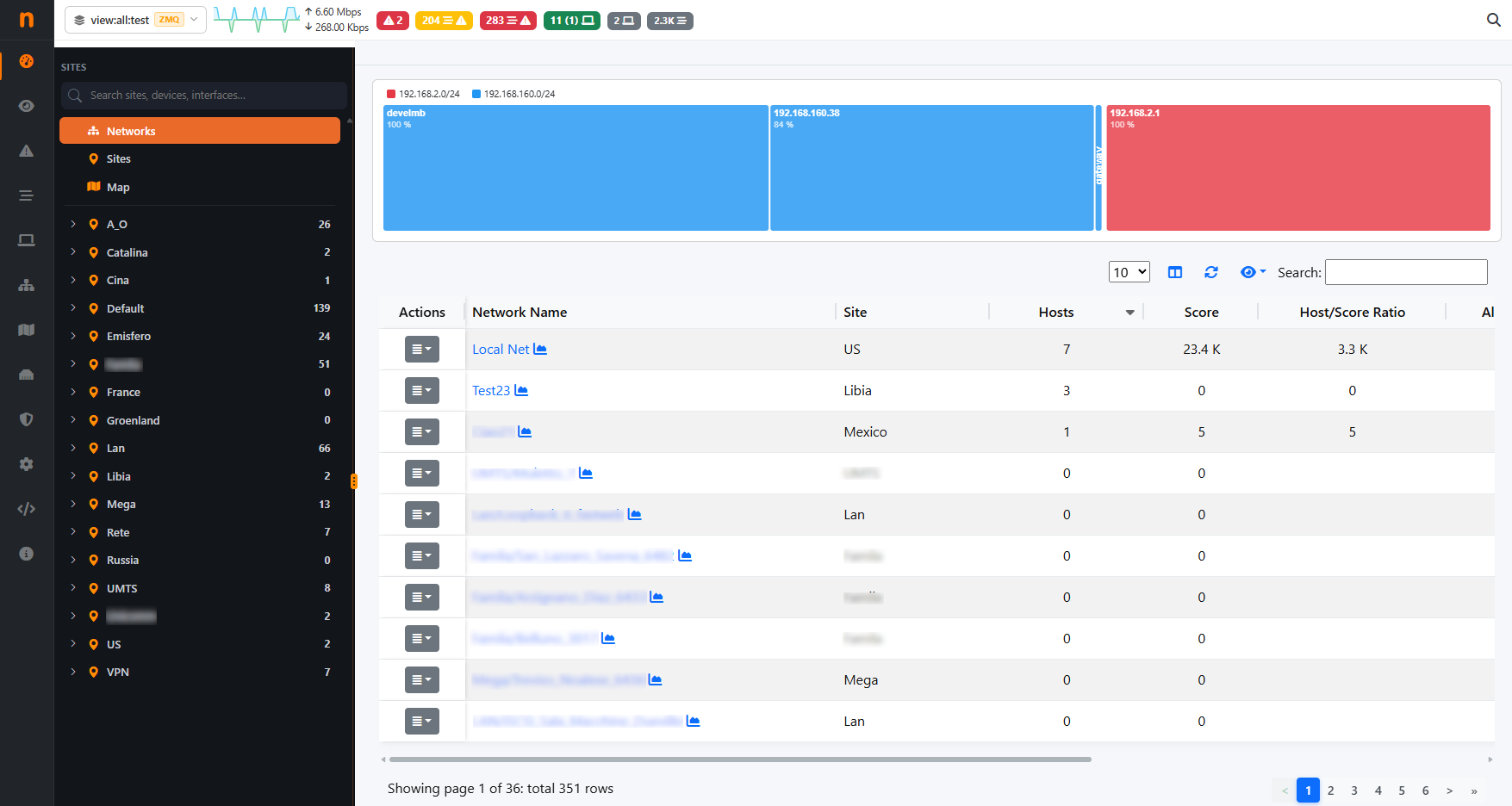
The Networks Dashboard
The Networks page also provides a Sites tab, which groups networks under named locations such as offices, branches or data centers. See Sites for details on creating sites and assigning networks to them.
Also from the edit of a Network it is possible to assign a Network to a Site