
Passkey authentication is a passwordless sign-in method that allows you to log in to websites and apps using the same way you unlock your device—such as a fingerprint, face scan, or a screen lock PIN. It is designed to replace traditional passwords entirely, offering a significantly more secure and faster experience. In ntopng, it can be enabled to implement a multi-factor authentication method.
Passkey will only work if selected conditions are met:
- It works only over a secure TLS 1.2+ connection (except for localhost during development). This means that you must enable HTTPS on ntopng (-W <https port>).
- For passkey authentication to work, your HTTP server must use HTTPS with a valid, trusted TLS certificate and modern hash algorithms. The signature algorithm must use the SHA-2 family (e.g., SHA-256). SHA-1 is no longer considered secure and is rejected by modern platforms. A simple way to create a valid certificate suitable for passkey is to use Let’s Encrypt, which can be used as described in this post.
Similar to MFA, you can enable Passkey in the user’s configuration page. As Passkey is a kind of MFA, either you enable MFA or Passkey (not both at the same time).
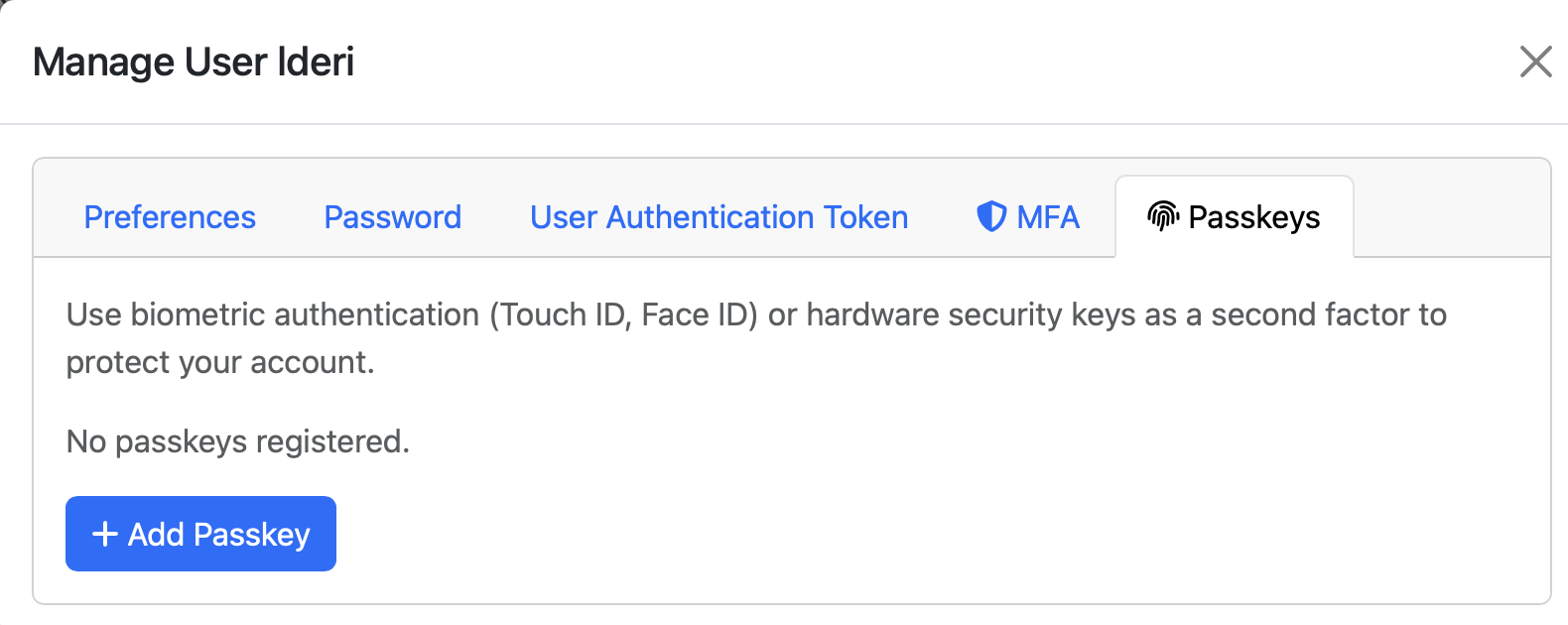
After you click on the “Add Passkey” button, ntopng asks you how you want to name the passkey for ntopng: you can pick any name. Then it shows you a dialog for configuring it.
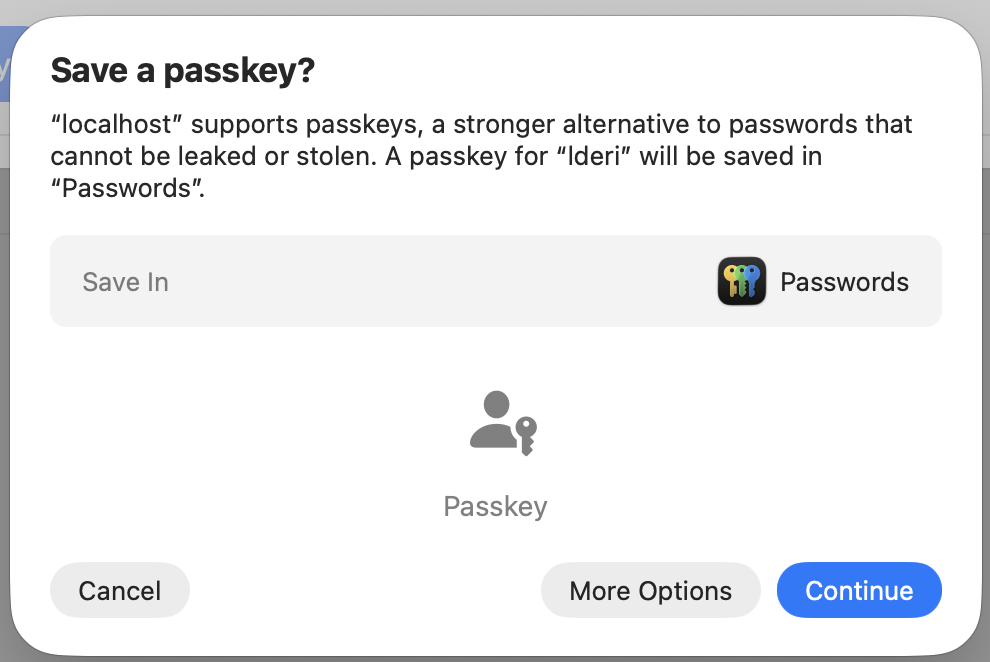
Done that, it’s all set. Now whenever you log in to ntopng for the use for which you enabled Passkey, after the authentication step, a new dialog is displayed.
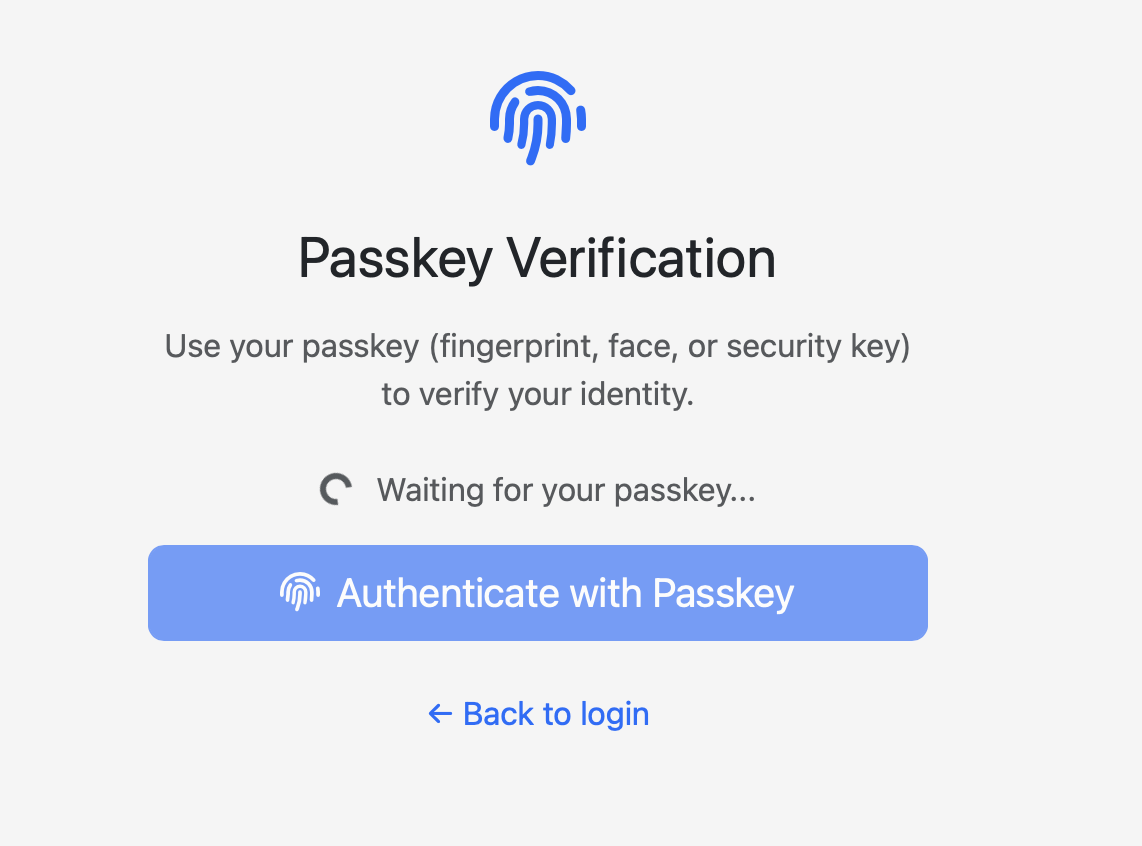
where you can authenticate. Most passkeys are synced across your devices through services like the Google Password Manager, Apple iCloud Keychain, or Microsoft Windows Hello. This ensures that if you set up a passkey on your phone, it is automatically available on your laptop or tablet. Alternatively, they can be stored on physical hardware like a YubiKey for the highest level of security. This means that once you have configured a user passkey on a system (e.g. on a macOS device), only the macOS user of such a device can successfully authenticate with Passkey.
As with MFA, if you want to disable Passkey, you ca do it from the user configuration page in ntopng.
Enjoy !