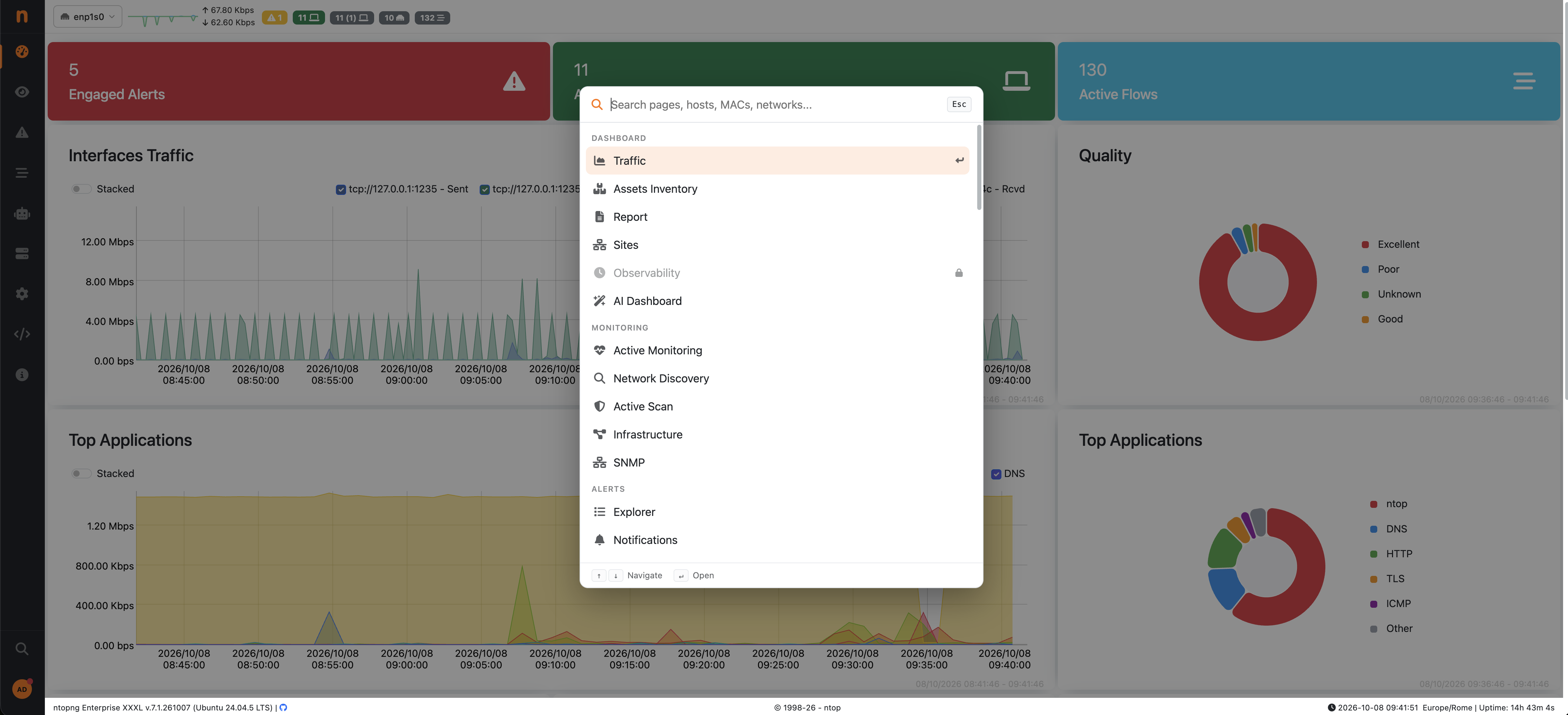
ntopng has had a search box for a while, but it we made it better to allow search for menu entries too! This to speed up and improve the user experience and navigation in ntopng. We added a short guided tour so you know what it can do.
What You Can Search For
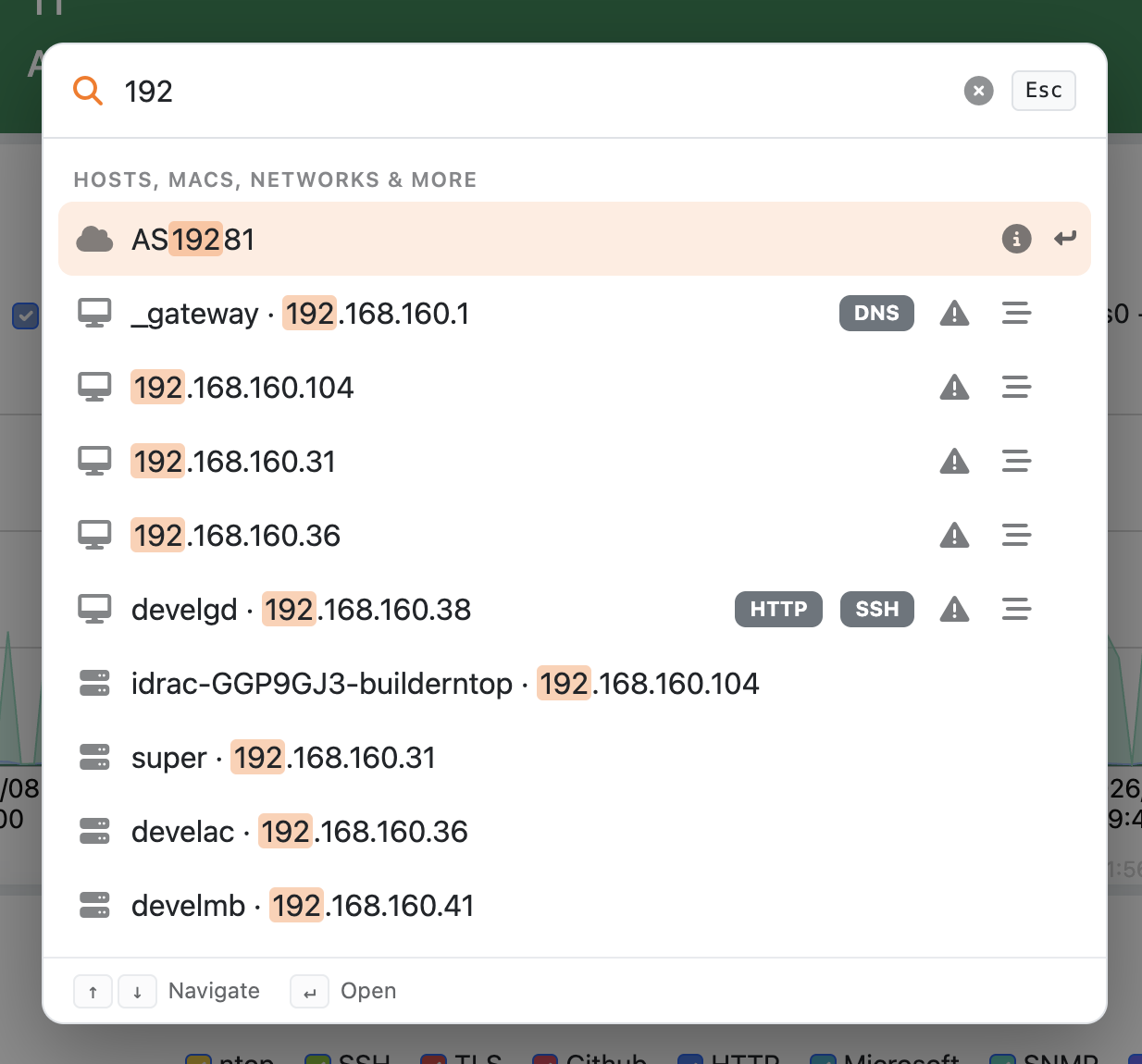
It’s one box for two jobs. First, it filters every entry of the ntopng menu, so you can jump to a page or a setting by typing a few letters instead of hunting through the sidebar. Second, it looks up live and historical network objects as you type:
hosts and MAC addresses
networks and ASNs
SNMP devices
historical flows
Type a name or an address, use the arrow keys to move through the results, and press Enter to open one. Matching text is highlighted, and menu entries you can’t open on your edition show a lock with the reason.
One shortcut, Any page
Press Ctrl+F (Cmd+F on macOS) on any ntopng page and the search box opens, instead of the browser’s search. Esc closes it.
The first time you load the dashboard after the update, a two slide tour points at the new button: what the search covers, then the shortcut. You can replay it any time from Preferences > Demo Tours.
The tour uses the same guided demo engine as the ntopng and nAnalyst overviews, so if you’ve seen those, it will feel familiar.
As always, let us know what you’d like to find with one keystroke. Feedback and bug reports are welcome on GitHub or in the community discord.
We use cookies to ensure that we give you the best experience on our website. If you continue to use this site we will assume that you are happy with it.