
Wazuh is a free, open-source security platform that combines SIEM (Security Information and Event Management) and XDR (Extended Detection and Response) capabilities. It is primarily used to monitor endpoints, cloud workloads, and containers to detect threats, ensure compliance, and respond to incidents in real-time. Integrating Wazuh with ntopng creates a powerful security layer by bridging the gap between host-based and network-based monitoring. The core value of this integration lies in comprehensive visibility. While Wazuh excels at monitoring what happens inside a machine, ntopng excels at monitoring what happens between machines.
At PacketFest 2025 it has been demonstrated how Wazuh could collect ntopng alert logs in addition to asset information. Today we show the opposite: how ntopng asset inventory could be improved with Wazuh asset information. Details below.
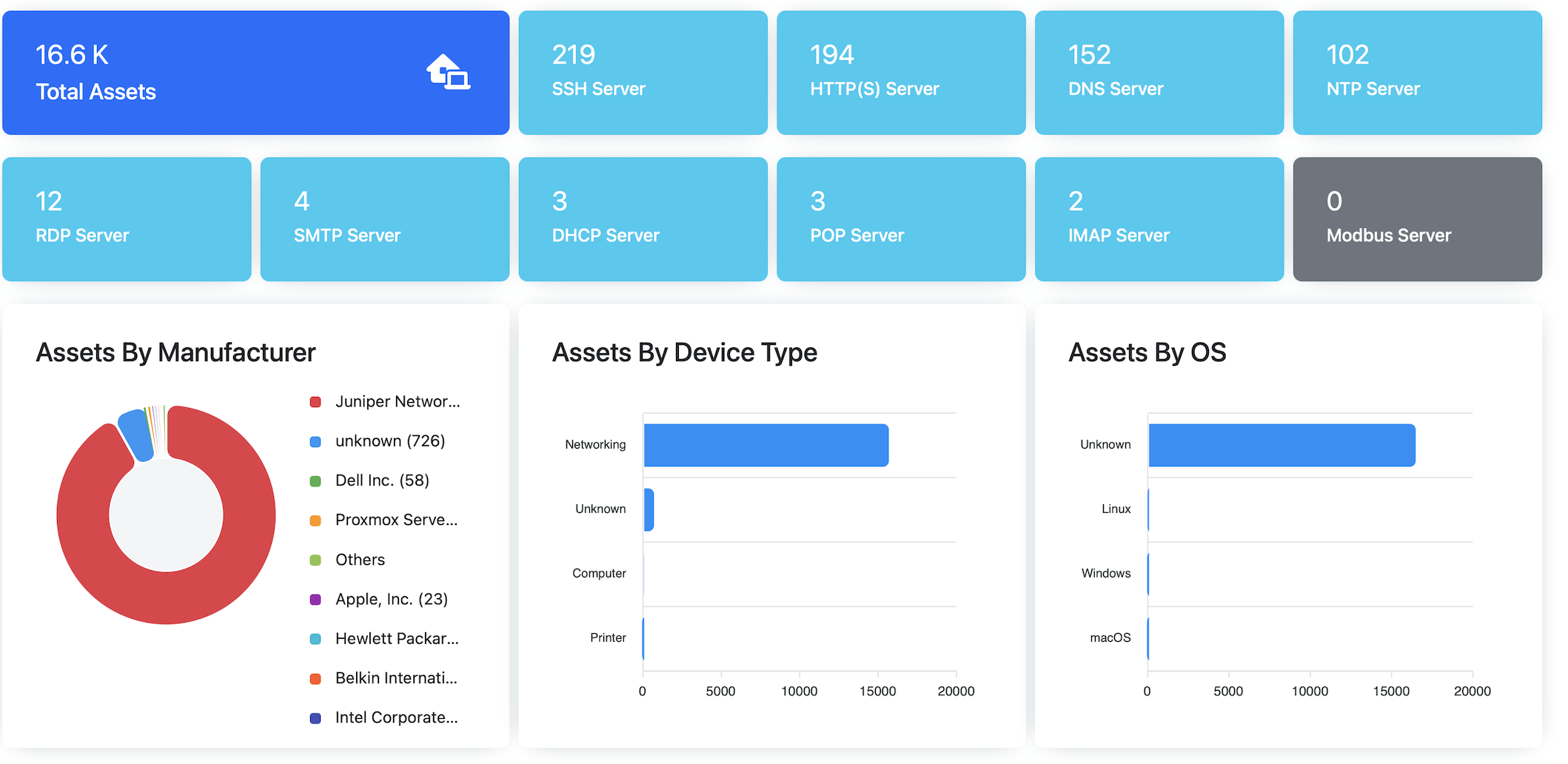
ntopng creates the asset database using two distinct methods:
- Passive network discovery
- SNMP
The first method learns passively what assets are available on the network, their open ports, and the OS (e.g. using TCP fingerprinting or service advertisement). Ports are listed if the send/received traffic on that port (i.e. if a host receives traffic on port 80 and never replies, such port is not listed).
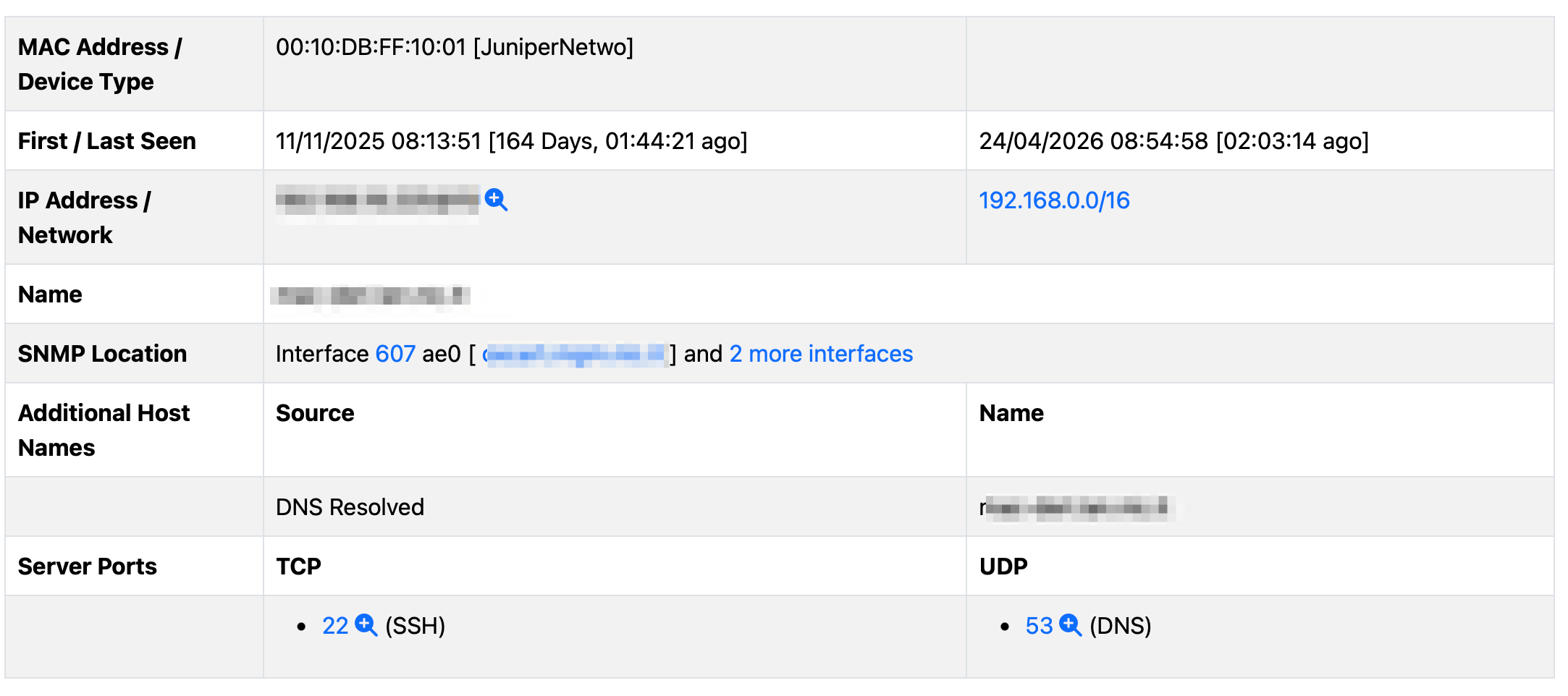
In addition to this, if SNMP has been enabled, ntopng shows where the host MAC address has been observed (SNMP device IP and interface index).
In the latest ntopng dev version (and soon in the next stable release) we have added the reverse integration: ntopng can now talk to Wazuh in order to extract detailed asset information using the Wazuh agent deployed directly on the host.
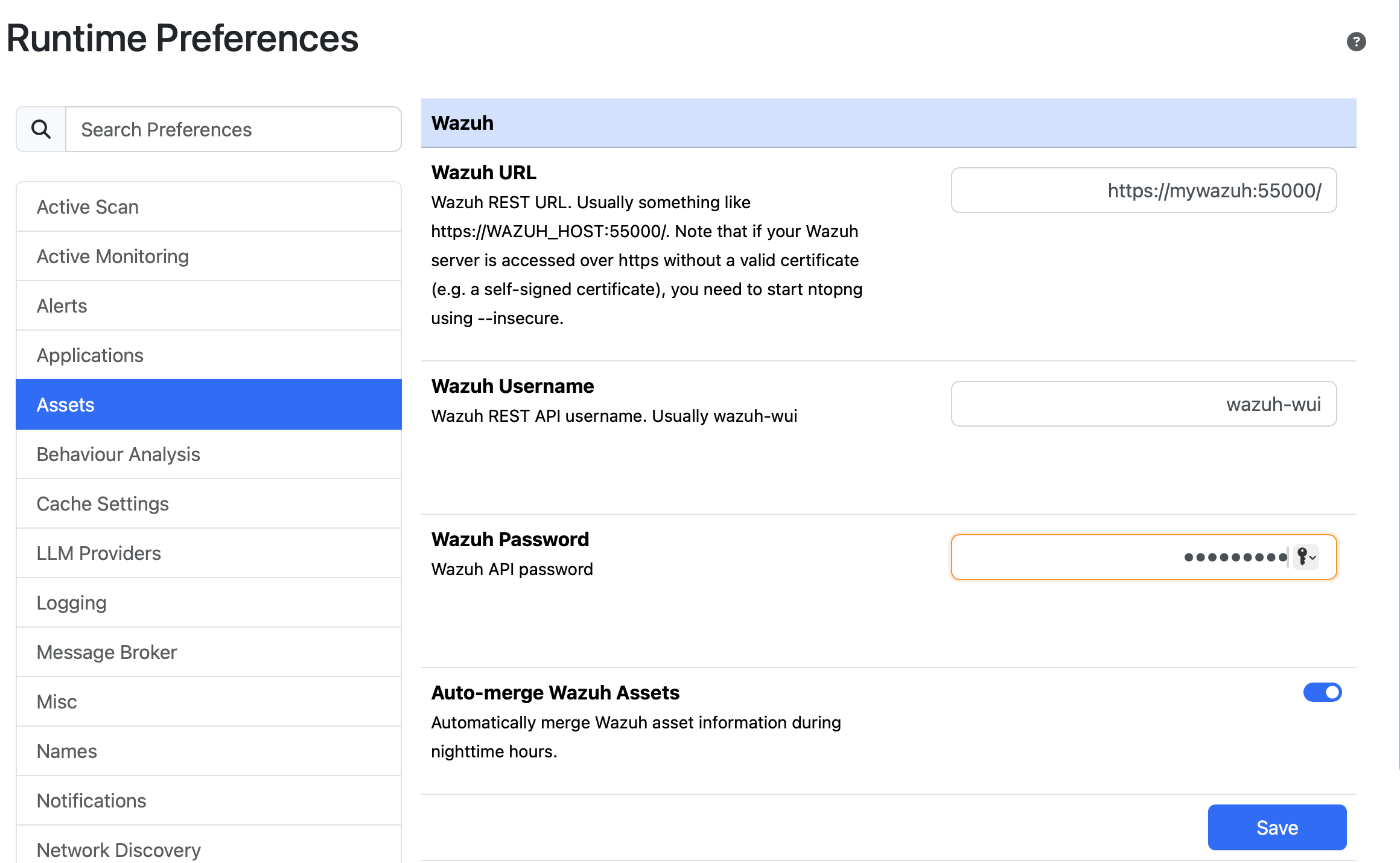
Under Preferences -> Assets you can now specify the URL/username/password of the Wazuh server console that will be accessed by ntopng using the REST API. Once this information is configured, under the Hosts -> Assets Inventory page
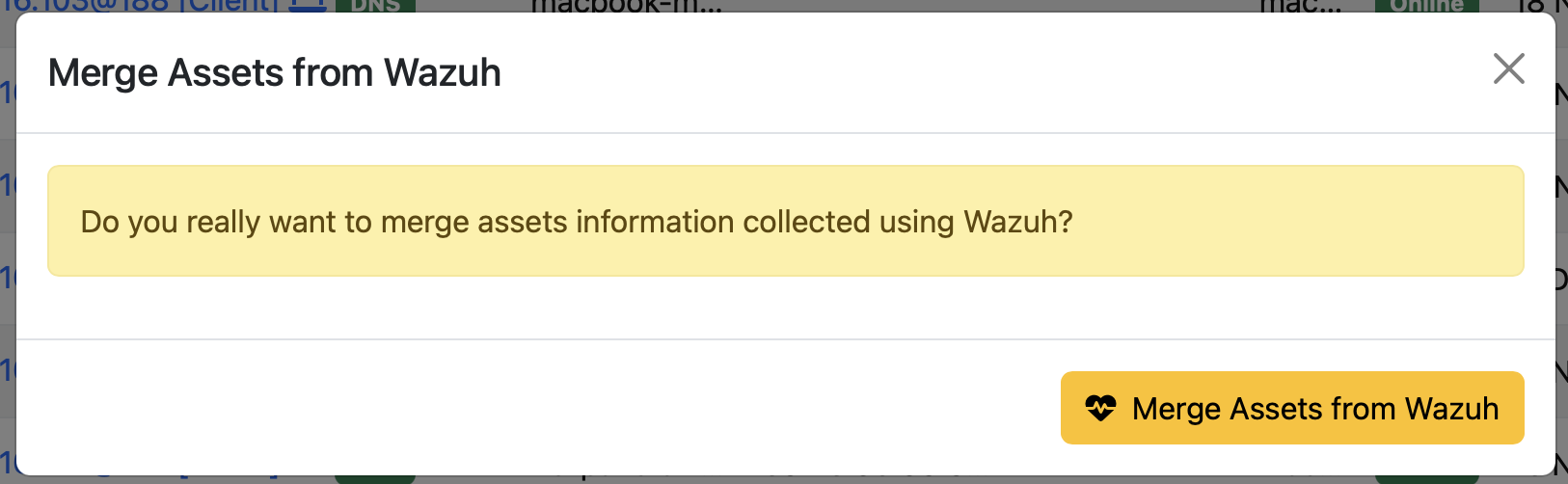
there is a new button that allows you to import asset information from the configured Wazuh Server
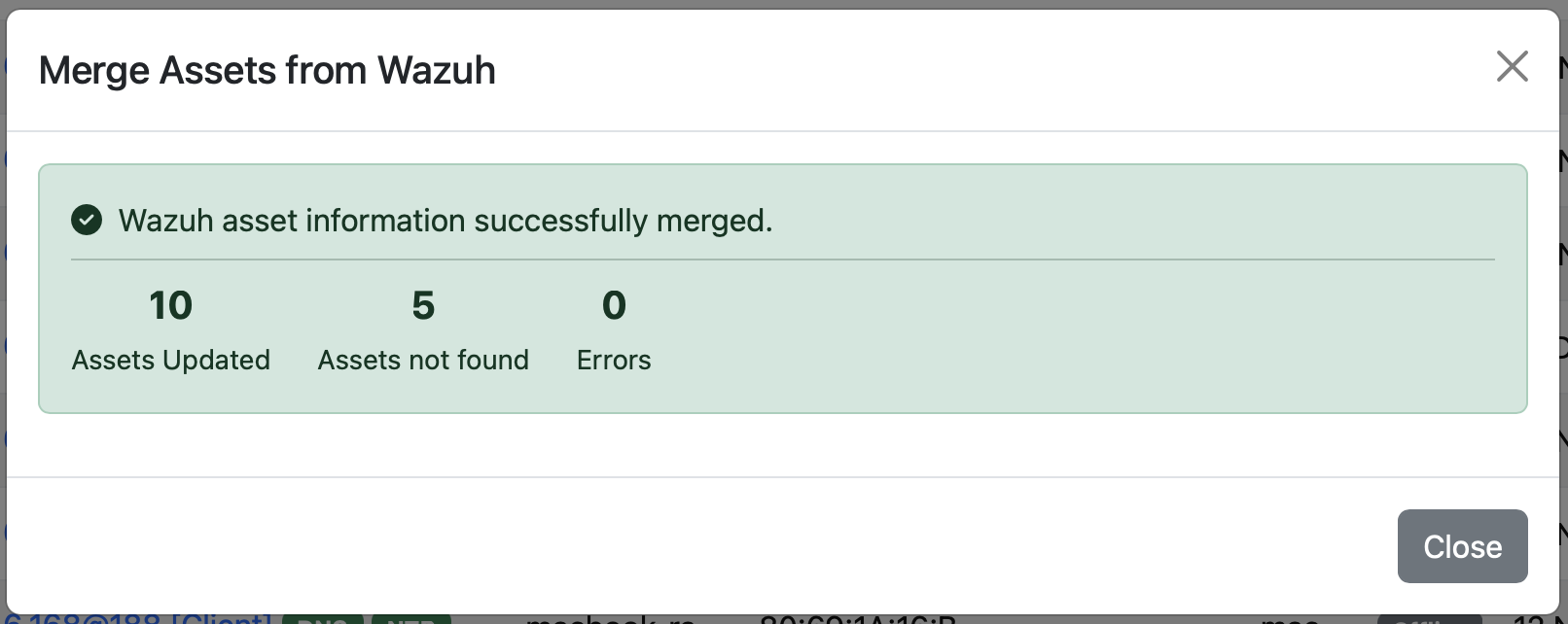
Esiting ntopng assets are merged using the IP address, so it might be that the list of ntopng observed assets does not completely overlaps with the one from Wazuh simply because ntopng might monitor a portion of the network smaller/larger than the one managed by Wazuh. Note that in preferences you can set the toggle in order to enable nighly wazuh asset import without doing this operation manually.
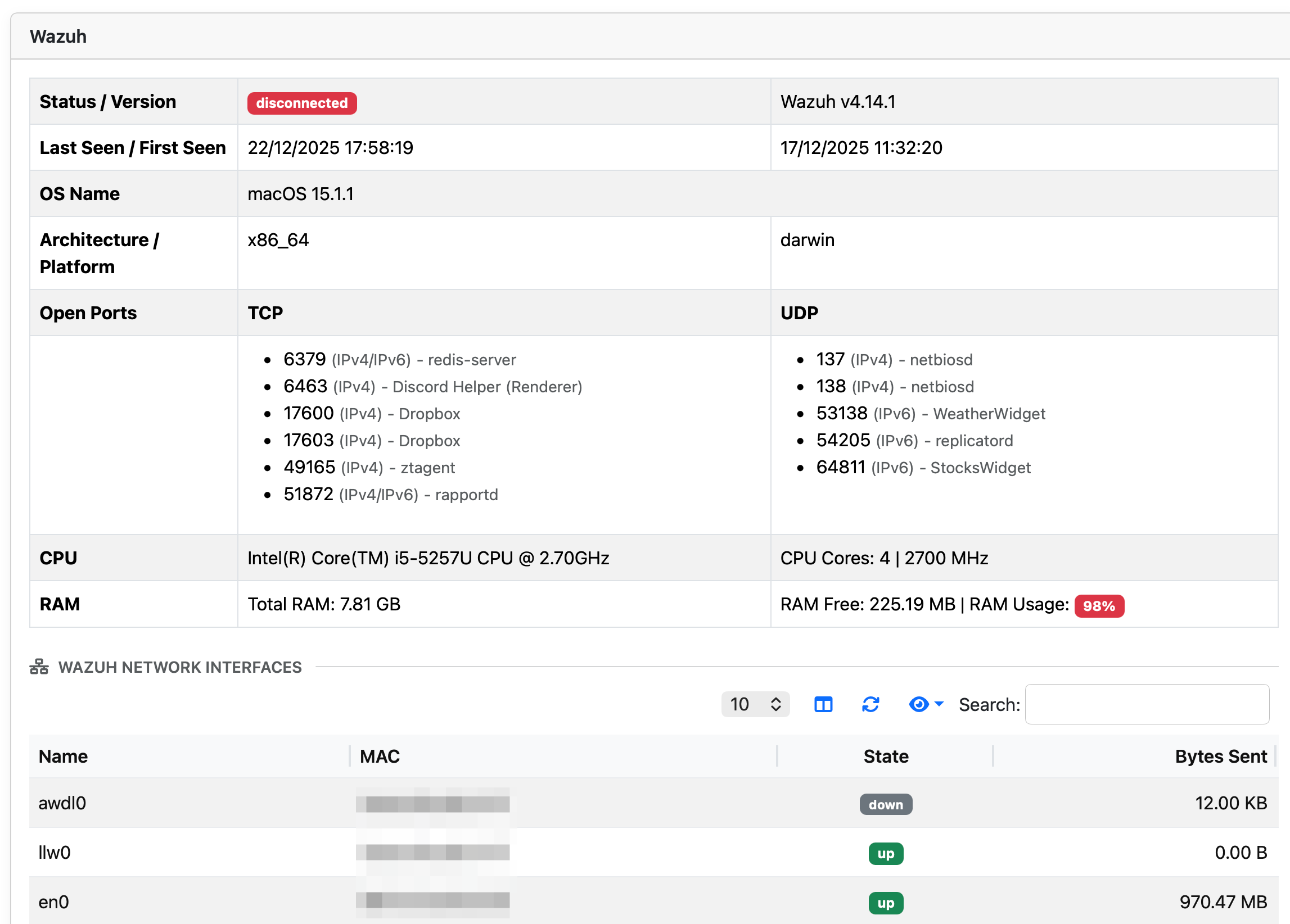
Above you can see how Wazuh information is reported inside the asset page of ntopng.
Beside the fact that this integration greatly enhances the asset inventory, it enables system administrators to better manage their assets because
- ntopng active scanning allows network administrators to see what ports are listening on the network, regardless of the fact that ntopng has observed traffic for them.
- Wazuh can show you “from the inside” including the process name that opened a port, information that cannot be observed from the network.
Rich asset information is useful for better understanding traffic rules and fine-tuning alerts (and hiding events that should not considered as alerts). Stay tuned for news.
Enjoy !