
ntopng
High-Speed Web-based Traffic Analysis and Flow Collection
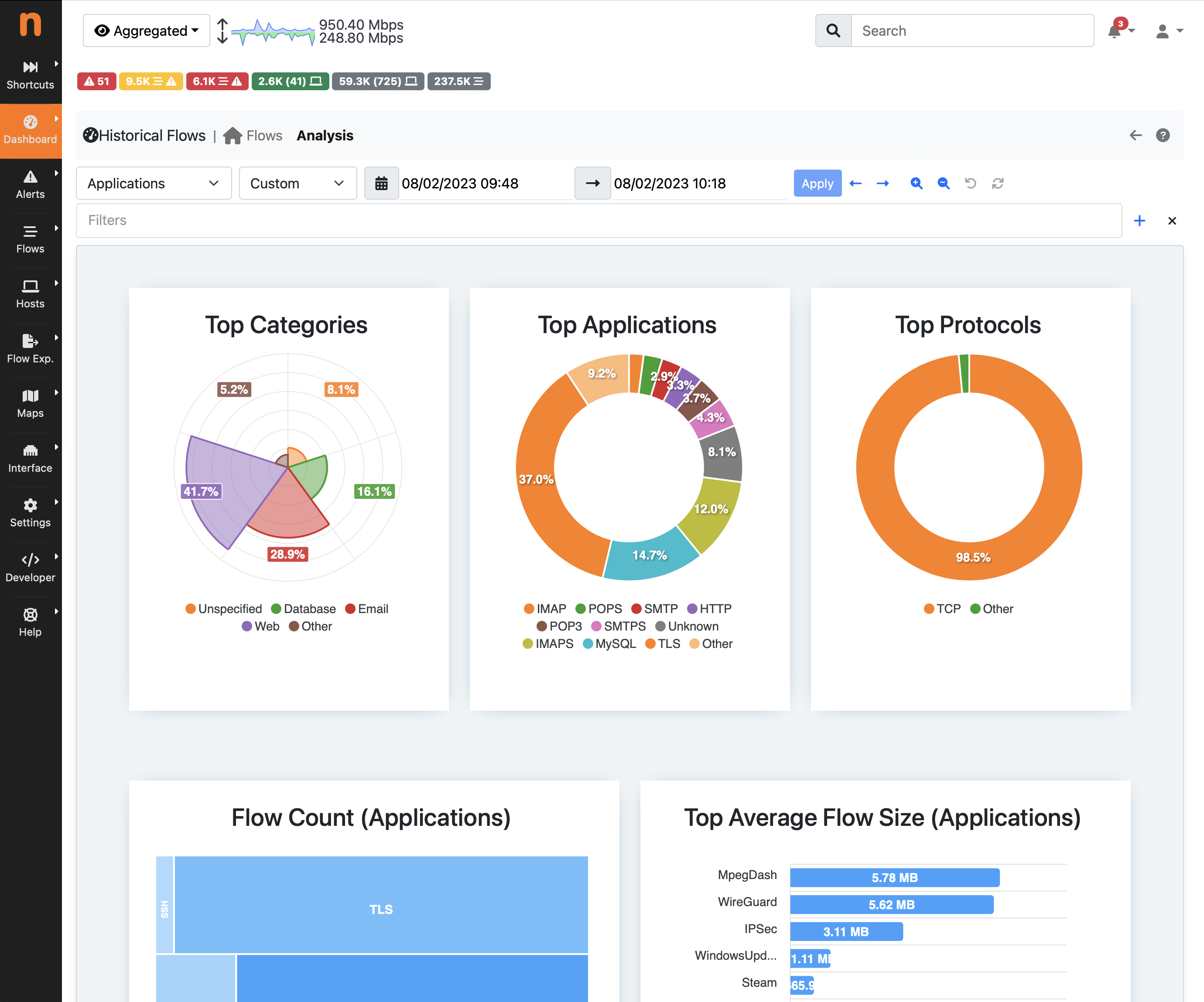
ntopng is a network traffic probe that provides 360° Network visibility, with its ability to gather traffic information from traffic mirrors, NetFlow exporters, SNMP devices, Firewall logs, Intrusion Detection systems.
ntopng has been written in a portable way in order to virtually run on every Unix platform, including Linux and FreeBSD (including pfSense and OPNsense), MacOS and on Windows as well. ntopng captures traffic from SPAN/mirror ports or TAP devices using libpcap, or PF_RING (on Linux) for best performance. Or you can use it in combination with nProbe to collect NetFlow/sFlow from routers and switches, or nProbe Cento to analyze 100 Gbit links at full rate.
ntopng – yes, it’s all lowercase – provides a intuitive, encrypted web user interface for the exploration of realtime and historical traffic information.
Main Features
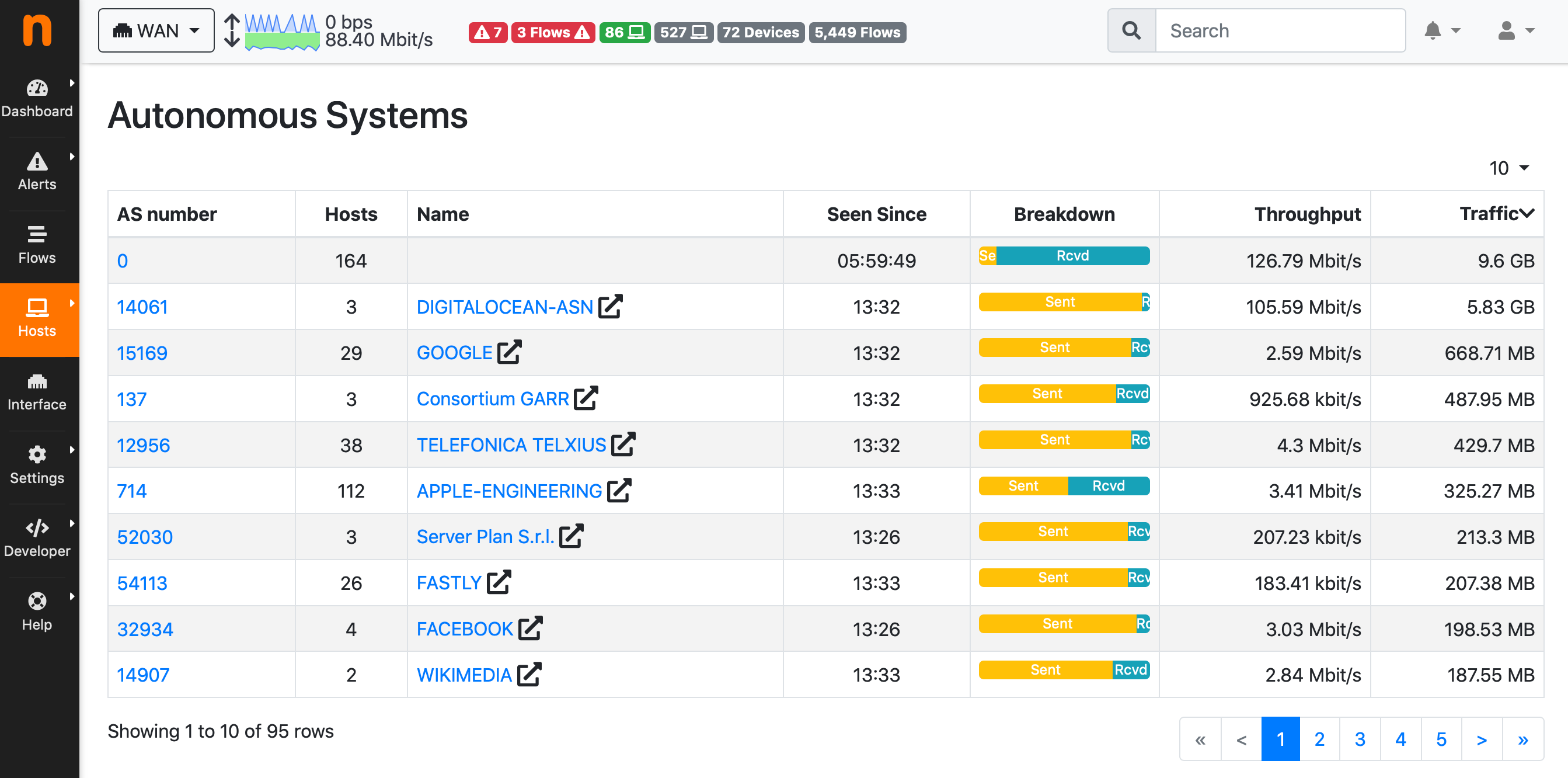
- Sort network traffic according to many criteria including IP address, port, Layer-7 (L7) application protocols, throughput, Autonomous Systems (ASs)
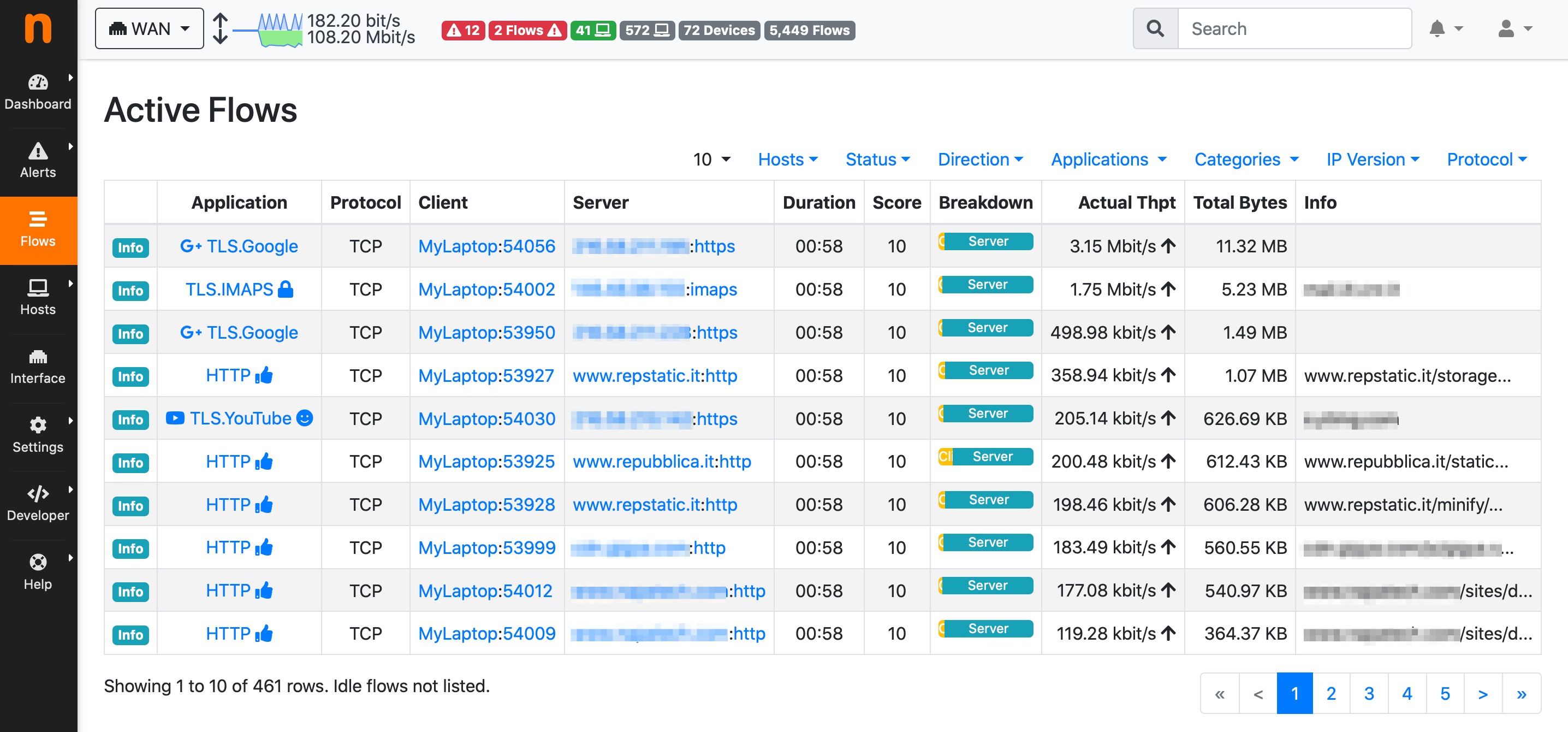
- Show realtime network traffic and active hosts
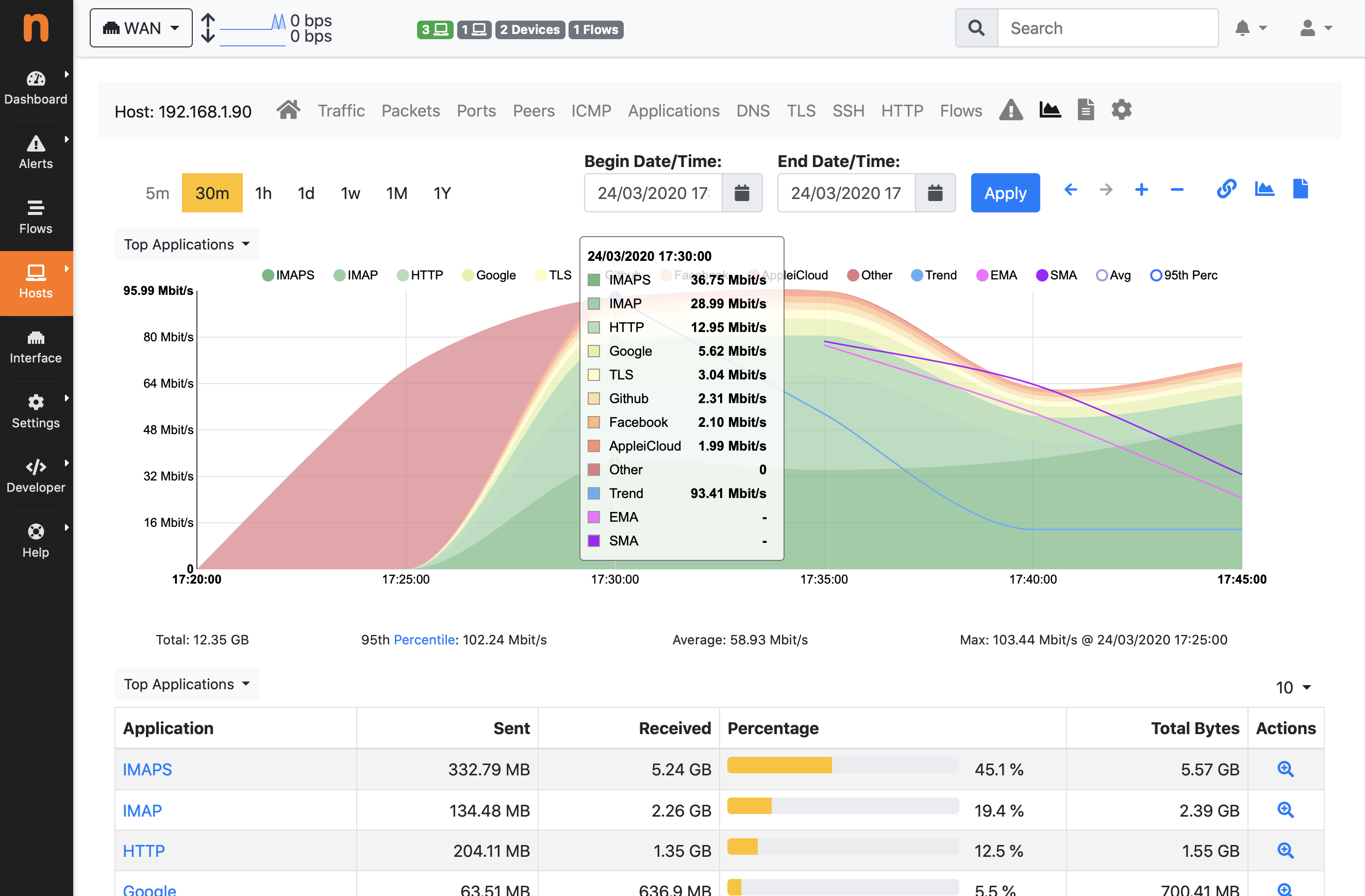
- Produce long-term reports for several network metrics including throughput and L7 application protocols
- Top talkers (senders/receivers), top ASs, top L7 application protocols
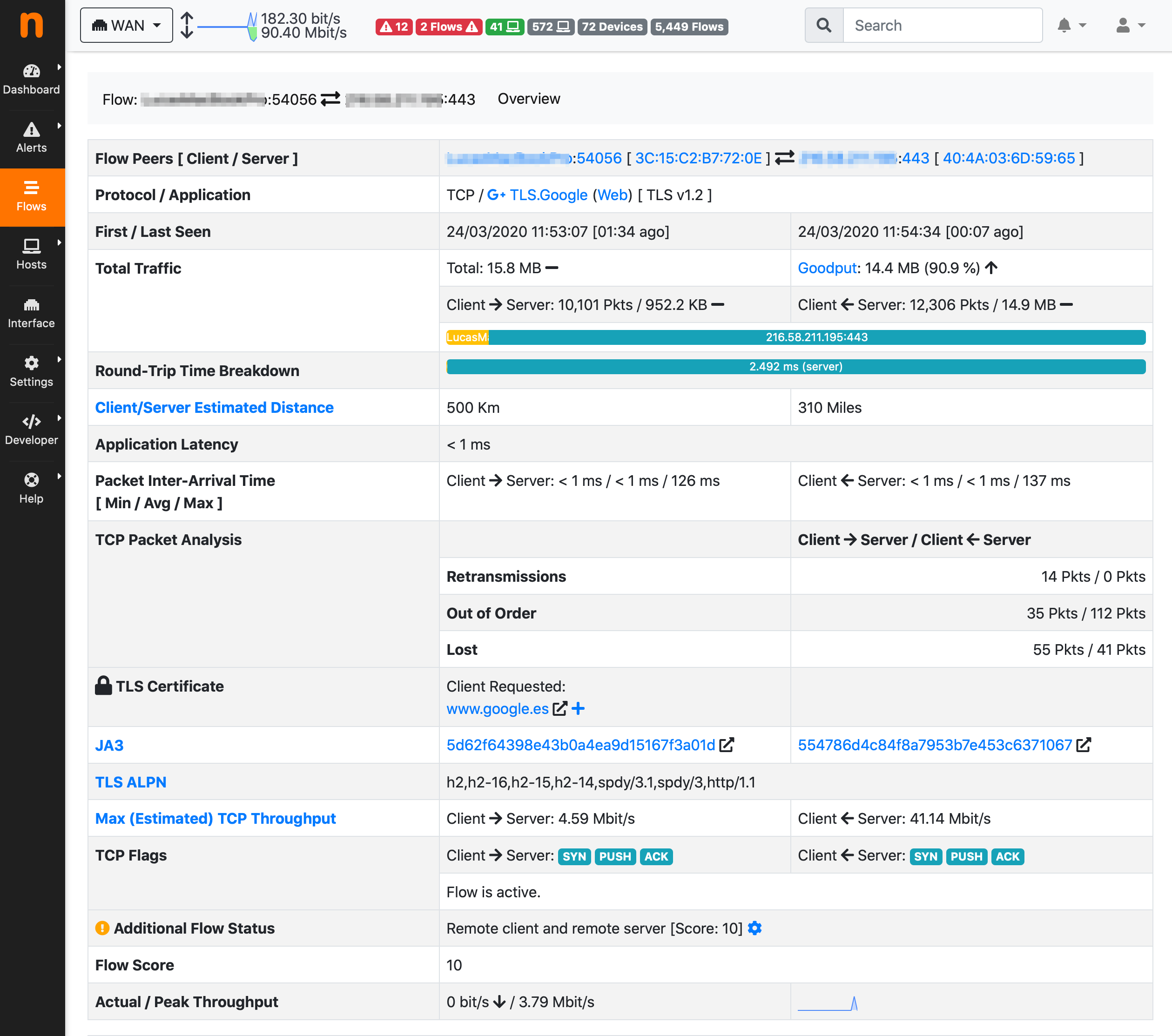
- Monitor and report live throughput, network and application latencies, Round Trip Time (RTT), TCP statistics (retransmissions, out of order packets, packet lost), and bytes and packets transmitted
- Store on disk persistent traffic statistics to allow future explorations and post-mortem analyses
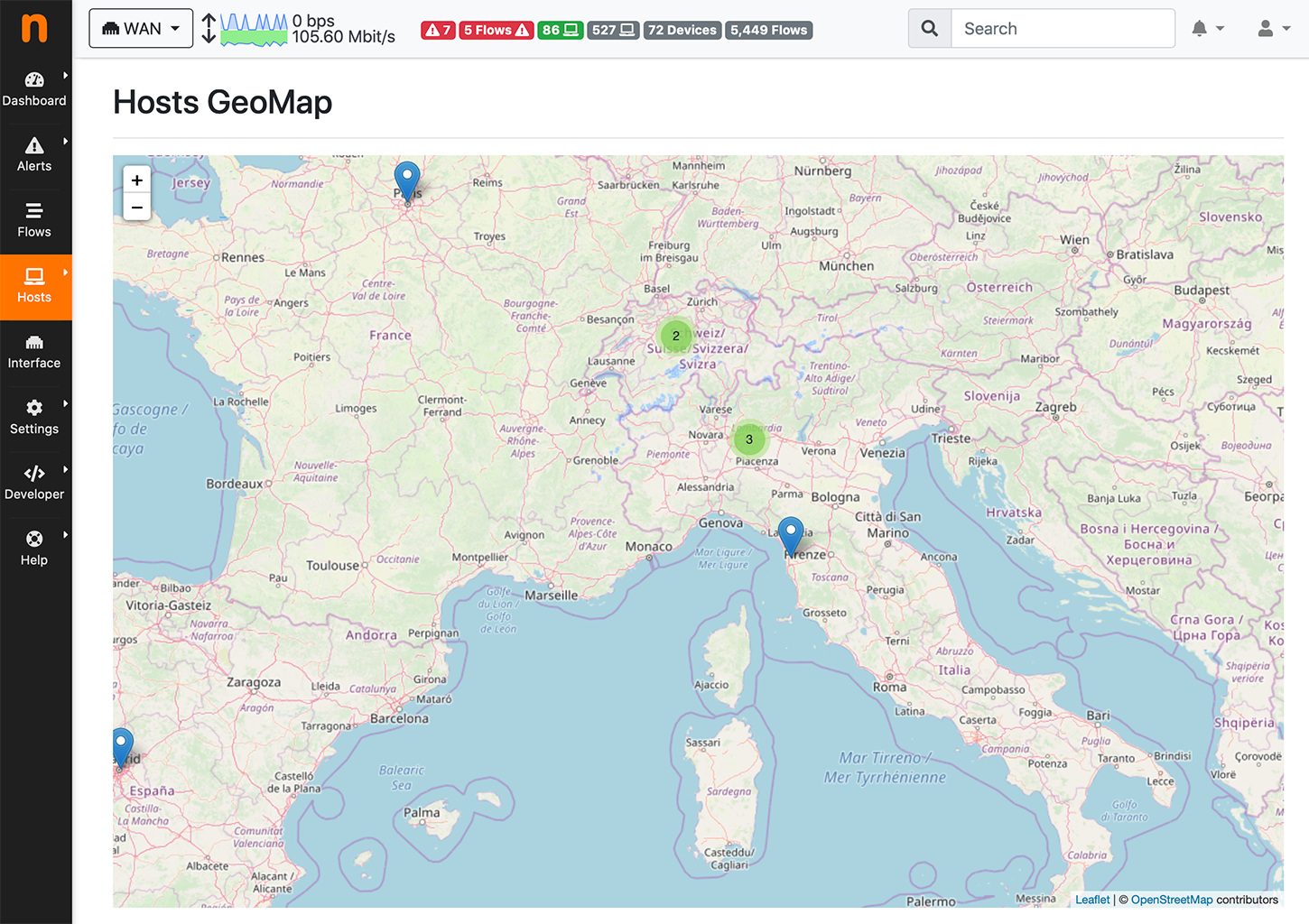
- Geolocate and overlay hosts in a geographical map
- Discover Layer-7 application protocols (Facebook, YouTube, BitTorrent, etc) by leveraging on nDPI, ntop Deep Packet Inspection (DPI) technology
- Analyze IP traffic and sort it according to the source/destination
- Report IP protocol usage sorted by protocol type
- Produce HTML5/AJAX network traffic statistics
- Full support for IPv4 and IPv6
- Full Layer-2 support (including ARP statistics)
- GTP/GRE detunnelling
- Support for ClickHouse, MySQL, ElasticSearch export of monitored data
- Interactive historical exploration of monitored data exported to ClickHouse (no MySQL or ElasticSearch support)
- Flexible alerts handling
- SNMP v1/v2c/v3 support and continuous monitoring of SNMP devices
- Identity Management, including correlation of VPN users to traffic
- Focused on traffic visibility and cybersecurity.
- Behavioral traffic analyses such as lateral movements and periodic traffic detection
- REST API to ease integrations with third-parties.
- Native nTap support for collecting traffic from cloud, VMs, containers and physical hosts.
Tech Specs
| Platforms |
|
|
|---|---|---|
| Web GUI |
|
|
| Requirements | ||
| Protocols |
|
|
| Extensibility |
|
|
| Additional Features |
|
|
Available Versions
ntopng comes in three versions: Community, Professional, and Enterprise M/L/XL. The Community version is free to use and opensource (code can be found on Github). The Professional and Enterprise offer some extra features that are particularly useful for SMEs or larger organizations. Features are highlighted in the following table.
| Version Sizing † | Community | Pro | Enterprise | |||
|---|---|---|---|---|---|---|
| M | L | XL | XXL | |||
| Maximum Number of Monitored (Local) Hosts (suggested) | 256 | 256 | 1K | 4K | 32K | 128K |
| Maximum Number of Monitored Flows (suggested) | 128K | 1M | 4M | 8M | 16M | 32M |
| Max Number of Host Pools | 3 | 3 | 128 | 128 | 128 | 128 |
| Max Number of Host Pool Members (per Pool) | 8 | 8 | Unlimited | Unlimited | Unlimited | Unlimited |
| Maximum Number of Monitored Interfaces (-i) | 8 | 8 | 16 | 32 | 64 | 64 |
| Mark and historicize traffic with user-defined traffic profiles to match hosts, ports and applications using the BPF syntax (number of profiles) [total/per ntopng] | 16 | 128 | 128 | 128 | 128 | |
| Configurable SNMP Devices (device number) [total/per ntopng] | 16 | 32 | 128 | 512 | ||
| Max Number of Flow Exporters (e.g. NetFlow router) [total/per ntopng] | 4 | 16 | 128 | 256 | 512 | |
| Flow Exporters/Interfaces combinations[total/per ntopng] | 128 | 256 | 512 | 2K | 8K | |
† On adequate hardware (the actual limit may be lower according to system resources).
| Version Features | Community | Pro | Enterprise | ||
|---|---|---|---|---|---|
| M | L | XL/XXL | |||
| Monitor Remote Hosts using active monitoring (ICMP, Continuous ICMP, HTTP/S, Throughput, SpeedTest) | ✓ | ✓ | ✓ | ✓ | ✓ |
| Monitor the system, machine on which ntopng is running, Health (CPU usage, RAM usage, Disk Space used, …) | ✓ | ✓ | ✓ | ✓ | ✓ |
| Identify application protocols (Facebook, Youtube, BitTorrent, etc) in the network | ✓ | ✓ | ✓ | ✓ | ✓ |
| Record and Visualize hosts’ historical application protocols usage (timeseries) | ✓ | ✓ | ✓ | ✓ | ✓ |
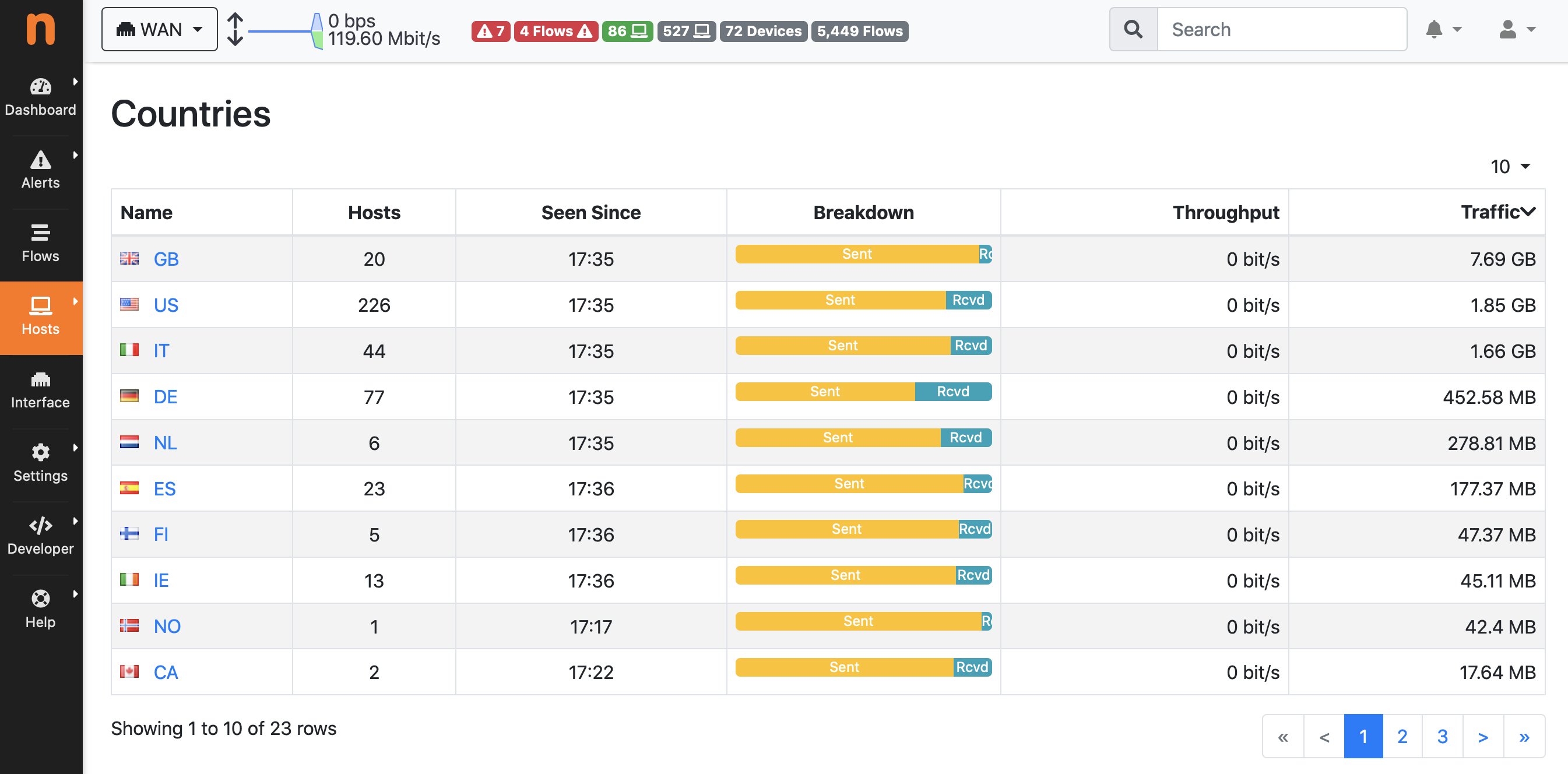
| Group hosts by VLAN, Operating System, Country, and Autonomous Systems | ✓ | ✓ | ✓ | ✓ | ✓ |
| Get a geographic map of your network communications with the rest of the world | ✓ | ✓ | ✓ | ✓ | ✓ |
| Discover the devices connected to your Local Network (Network Discovery) | ✓ | ✓ | ✓ | ✓ | ✓ |
| Identify top talkers (senders and receivers) hosts with minute resolution | ✓ | ✓ | ✓ | ✓ | ✓ |
| Visualise the top HTTP sites contacted by an host | ✓ | ✓ | ✓ | ✓ | ✓ |
| Export expired flows information to database, possibly augmented with nProbe data ** | ✓ | ✓ | ✓ | ✓ | ✓ |
| Generate alerts (for Flows, Hosts, Interfaces, …) when certain conditions are detected (Threshold Crossed, Suspicious Behaviour, …) | ✓ | ✓ | ✓ | ✓ | ✓ |
| Navigate through the alerts, from the GUI, generated by ntopng to find the problem | ✓ | ✓ | ✓ | ✓ | ✓ |
| Get alerts notifications as Email, Discord, Telegram, WebHook, Slack, Syslog messages or execute Shell Scripts | ✓ | ✓ | ✓ | ✓ | ✓ |
| Split, merge, and visualize VLAN based traffic | ✓ | ✓ | ✓ | ✓ | ✓ |
| Collect data from nProbe to treat remote nProbe-monitored interfaces and flow exporter devices (for example routers and switches) as if they were local | ✓ | ✓ | ✓ | ✓ | ✓ |
| Split, merge, and visualize data collected from nProbe | ✓ | ✓ | ✓ | ✓ | ✓ |
| Group local hosts into logical sets of IP and MAC addresses known as host pools | ✓ | ✓ | ✓ | ✓ | ✓ |
| Add/edit application protocols to ntopng (if a protocol file is configured) and edit protocol categories | ✓ | ✓ | ✓ | ✓ | ✓ |
| Aggregate multiple interfaces traffic in a single view | ✗ | ✓ | ✓ | ✓ | ✓ |
| Limit or block hosts’ traffic with customized per-application policies * | ✗ | ✓ | ✓ | ✓ | ✓ |
| Integrate ntopng login with LDAP authentication servers * ** | ✗ | ✓ | ✓ | ✓ | ✓ |
| Send alerts to Elasticsearch, to MS Teams or to Fail2Ban | ✗ | ✓ | ✓ | ✓ | ✓ |
| Have access to other ntopng Checks (Alerts) | ✗ | ✓ | ✓ | ✓ | ✓ |
| Add the possibility to create the Network Matrix timeseries (gives the possibility to check traffic between Local Networks) | ✗ | ✓ | ✓ | ✓ | ✓ |
| Visualize and historicise other ntopng data (Interface Score Anomalies, Top Talkers, …) | ✗ | ✗ | ✓ | ✓ | ✓ |
| Graphical reports with top hosts, application protocols, countries, networks, and autonomous systems within any configurable time frame | ✗ | ✗ | ✓ | ✓ | ✓ |
| Automatic (periodic) graphical reports | ✗ | ✗ | ✗ | ✓ | ✓ |
| Graphical reports editor to build custom report templates/td> | ✗ | ✗ | ✗ | ✗ | ✓ |
| Query SNMP devices data, such as port status, traffic and and MAC address information | ✗ | ✗ | ✓ | ✓ | ✓ |
| Get total traffic and activity reports for any given host, network, or interface | ✗ | ✗ | ✓ | ✓ | ✓ |
| Identify attackers and victims through an alerts dashboard in realtime and in the past | ✗ | ✗ | ✓ | ✓ | ✓ |
| Visualize host pools’ historical applications protocols usage | ✗ | ✗ | ✓ | ✓ | ✓ |
| Explore and filter flow alerts in the past | ✗ | ✗ | ✓ | ✓ | ✓ |
| Trigger alerts when SNMP unexpected behavior shows up | ✗ | ✗ | ✓ | ✓ | ✓ |
| Have access to other ntopng Checks (Alerts, such as SNMP Alerts) | ✗ | ✗ | ✓ | ✓ | ✓ |
| Visualize and historicise SNMP per-device-port traffic | ✗ | ✗ | ✓ | ✓ | ✓ |
| Visualize and historicise NetFlow/sFlow devices data | ✗ | ✗ | ✓ | ✓ | ✓ |
| Aggregate and Analyze Long-term flow data | ✗ | ✗ | ✓ | ✓ | ✓ |
| Apply per-protocol daily traffic and time quotas to your clients * | ✗ | ✗ | ✓ | ✓ | ✓ |
| High performance flow export to ClickHouse and explorer (both aggregated data explorer and historical flow explorer) * | ✗ | ✗ | ✓ | ✓ | ✓ |
| Custom Interface Disaggregation † | ✗ | ✗ | ✓ | ✓ | ✓ |
| Monitor other ntopng instances (Infrastructure Monitoring) | ✗ | ✗ | ✗ | ✓ | ✓ |
| Hosts Map (find the hosts outliers) | ✗ | ✗ | ✓ | ✓ | ✓ |
| Service / Periodicity Maps | ✗ | ✗ | ✗ | ✓ | ✓ |
| Identity Management with Firewalls and Active Directory | ✗ | ✗ | ✗ | ✓ | ✓ |
| Have access to all Behavioural Checks | ✗ | ✗ | ✗ | ✓ | ✓ |
| Native nTap Support | ✗ | ✗ | ✗ | ✓ | ✓ |
| Kafka Support | ✗ | ✗ | ✗ | ✓ | ✓ |
| OT/SCADA: IEC 60870-5-104 Traffic Analysis | ✓ | ✓ | ✓ | ✓ | ✓ |
| OT/SCADA: ModbusTCP Traffic Analysis | ✗ | ✗ | ✗ | ✓ | ✓ |
| Continuous Recording license Included (n2disk 1Gbit)† ** | ✗ | ✗ | ✗ | Bundle L | Bundle XL |
| Smart Recording license Included (n2disk 1Gbit)† ** | ✗ | ✗ | ✗ | ✗ | Bundle XL |
| Flow Collection license Included (nProbe Pro)† | ✗ | ✗ | ✗ | Bundle L | ✗ |
| Flow Collection license Included (nProbe Enterprise S)† | ✗ | ✗ | ✗ | ✗ | Bundle XL |
✓= Feature supported, ✗ = Feature not Available
* Feature not available on Windows
** Feature not available on FreeBSD / OPNsense / pfSense
† Here you can read more about the software bundled with the Bundle edition
All versions are meant to be used on a “full-fledged PC” such as an x86 machine. Users who plan to install ntopng on Raspberry devices, should consider using the RaspberryOS packages available for ARM.
Use Cases
Monitor a Physical Interface
A physical NIC card can be monitored simply by specifying its interface name as
ntopng -i eth0
Flow Collection
Flow collection requires ntopng to be used in conjunction with nProbe which can act as probe/proxy. The communication between nProbe and ntopng takes place over ZeroMQ, a publish-subscribe protocol that allows ntopng to communicate with nProbe. An environment where a remote nProbe is physically monitoring from a NIC and sending monitored flows to ntopng can be deployed as
nprobe -i eth1 --zmq tcp://192.168.1.1:5556 -T @NTOPNG@
ntopng -i tcp://192.168.1.1:5556
Performance figures are given here.
Operating Systems


License
ntopng Community is distributed under the GNU GPLv3 license. Professional and Enterprise versions are subject to the EULA terms as well.
Enterprise L version already includes n2disk 1 Gbit (Continuous Recording) and nProbe Pro (Flow Collection) licenses.
Get It
Have a look at the download page for installation instructions and at the shop if you are considering to get a license. As all the other ntop products, a licensed ntopng includes installation support.
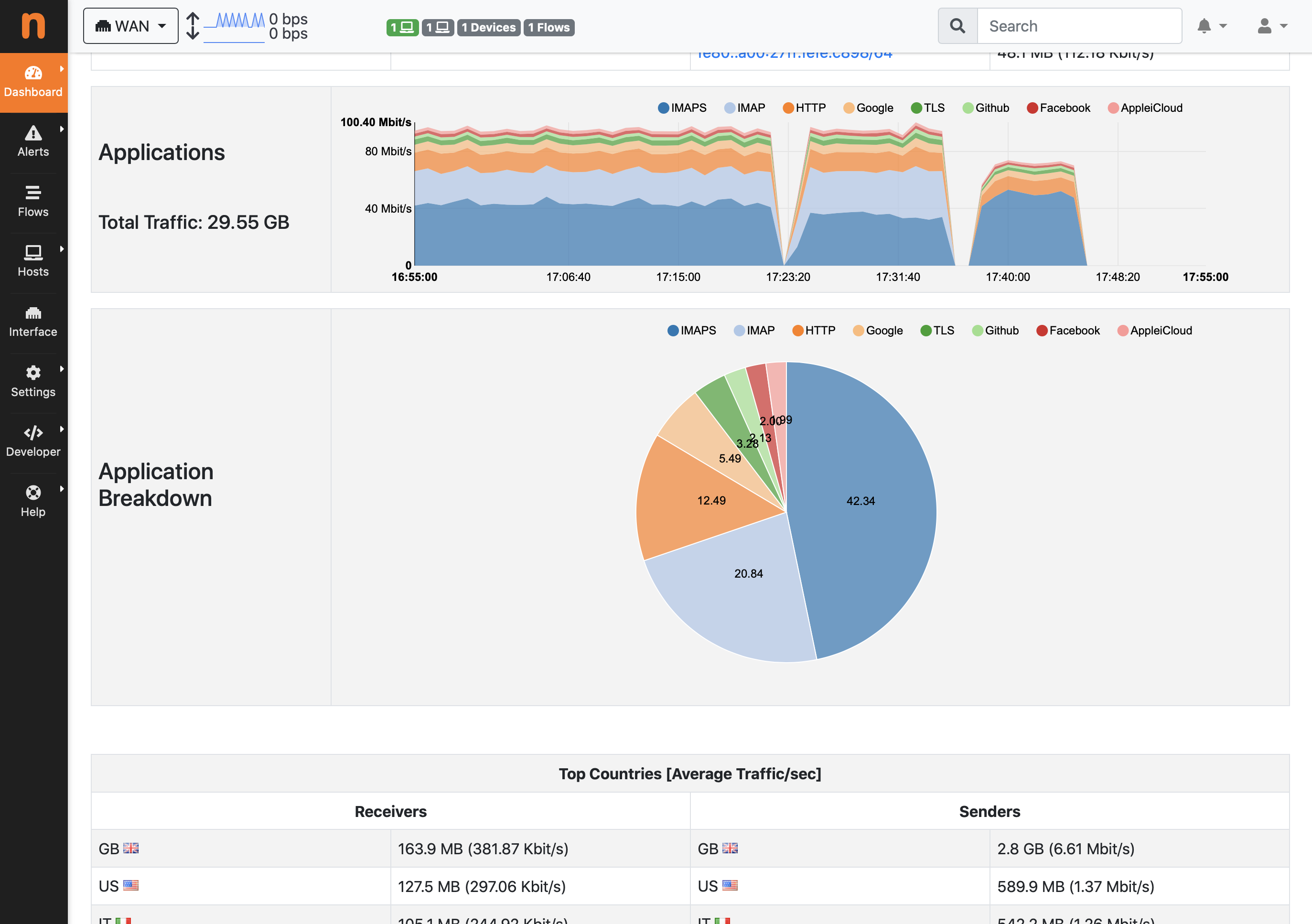
Screenshots
-
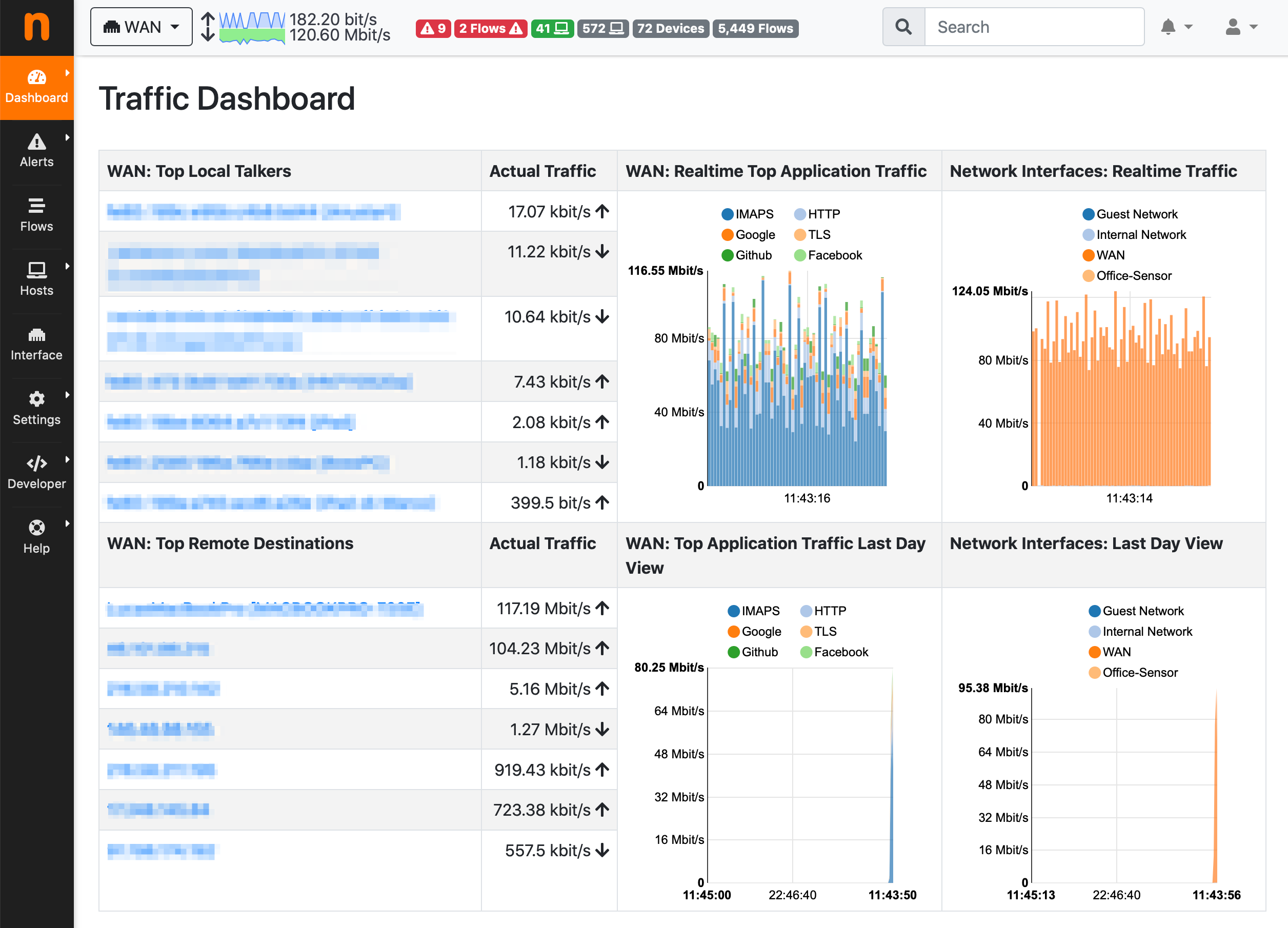
- Dashboard
-
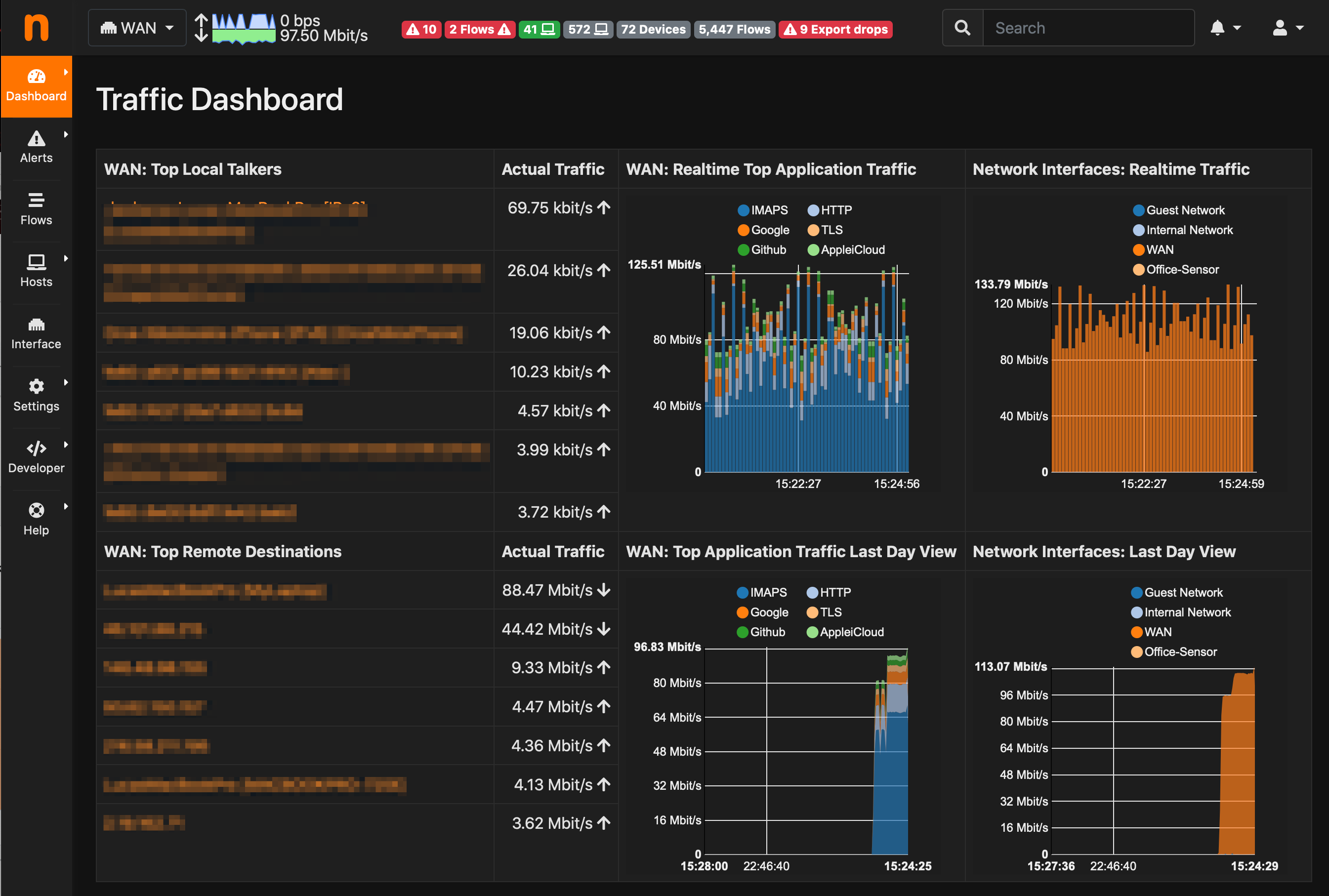
- Dark Mode
-
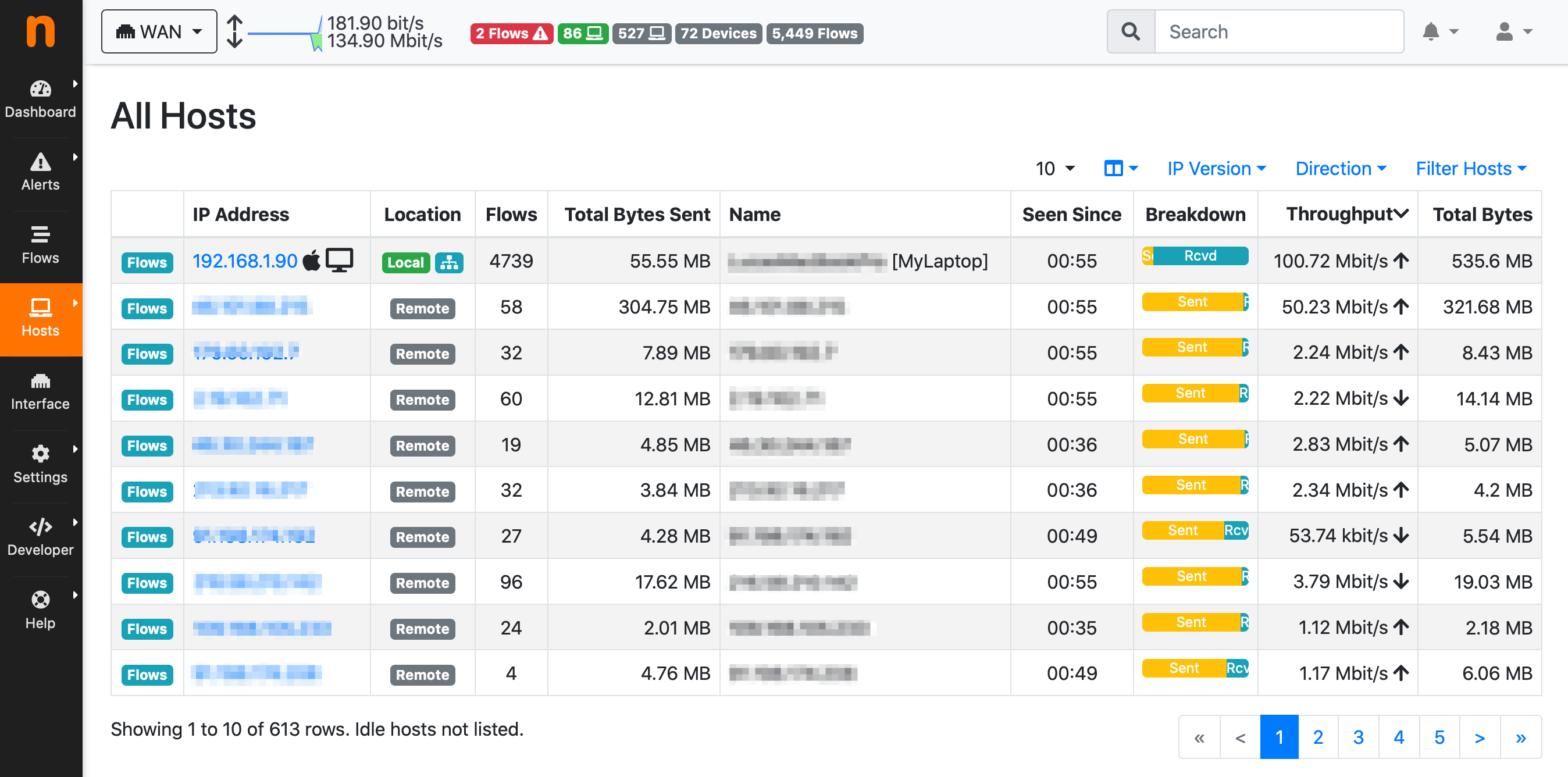
- Active Hosts
-
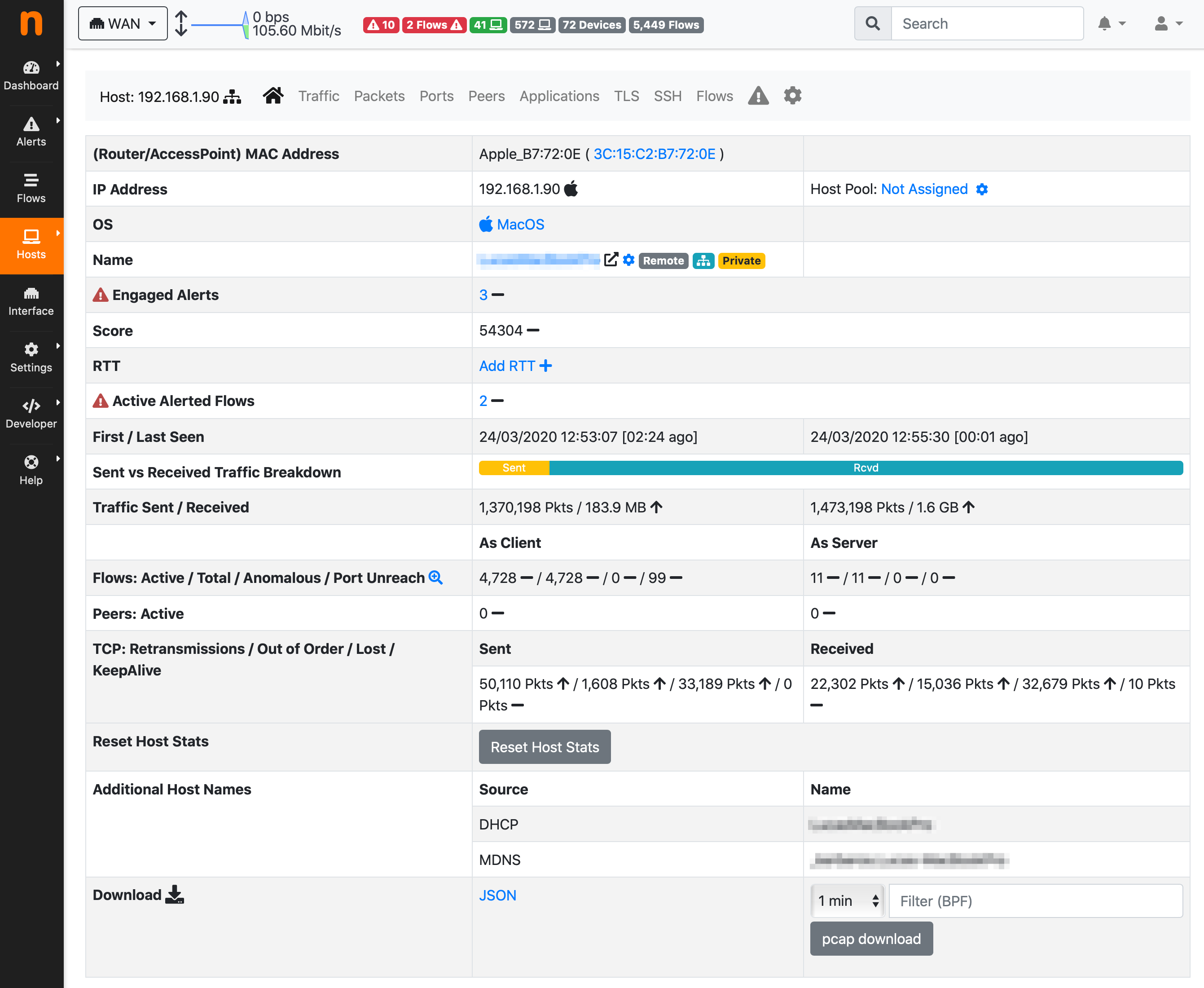
- Host Details
-
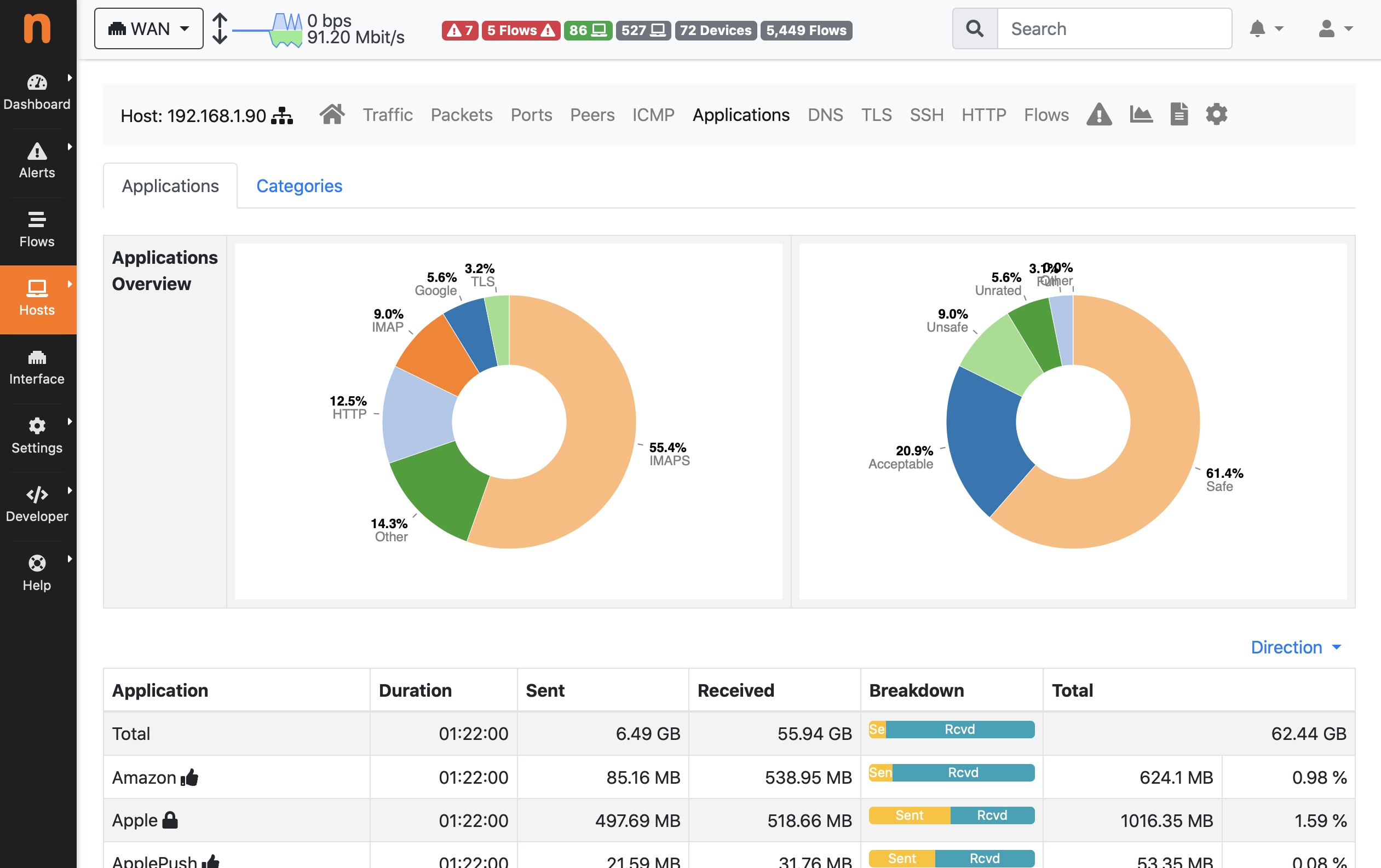
- Host Application Protocols
-
- Host Historical Traffic
-
- Active Flows
-
- Flow Details
-
- Autonomous Systems
-
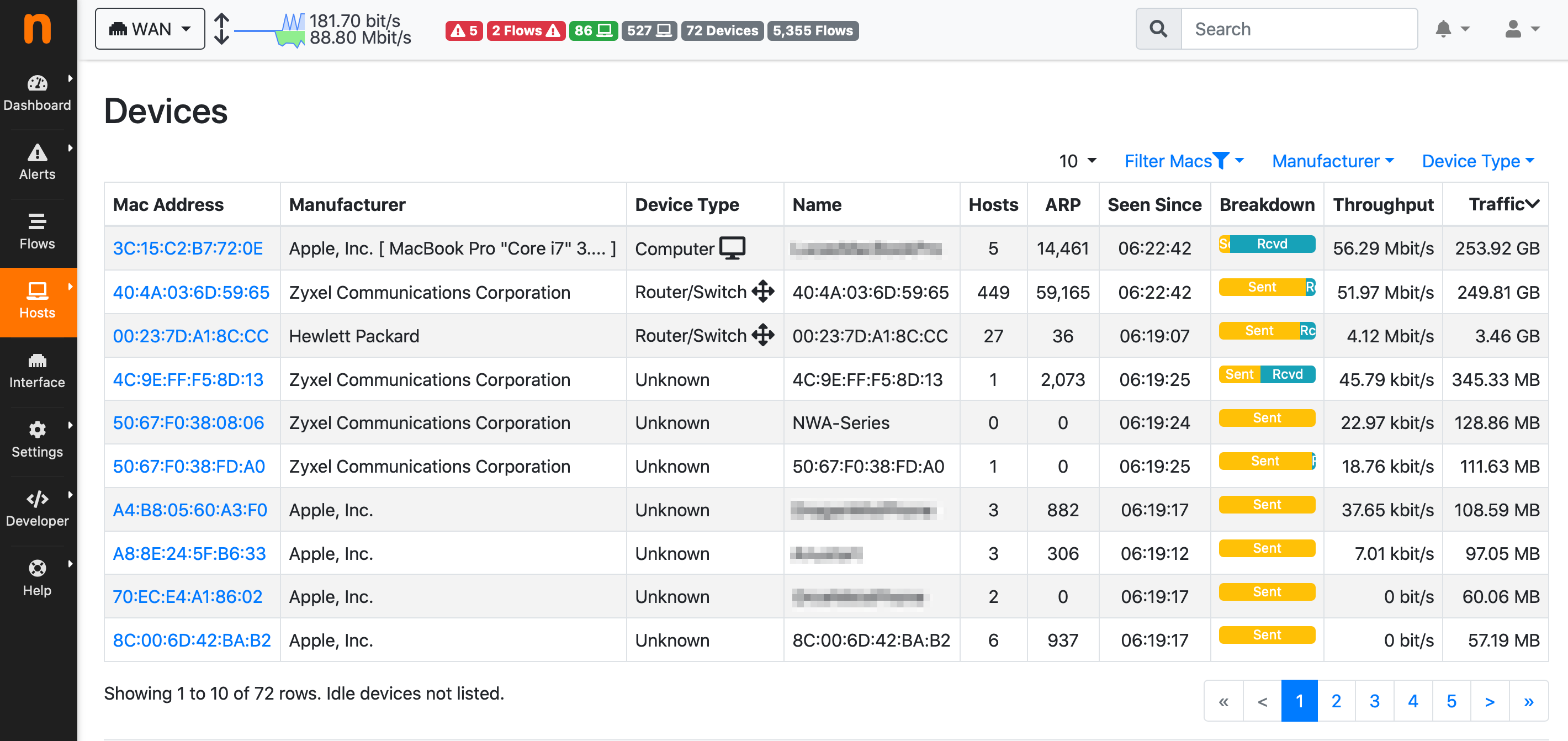
- Layer-2 Devices
-
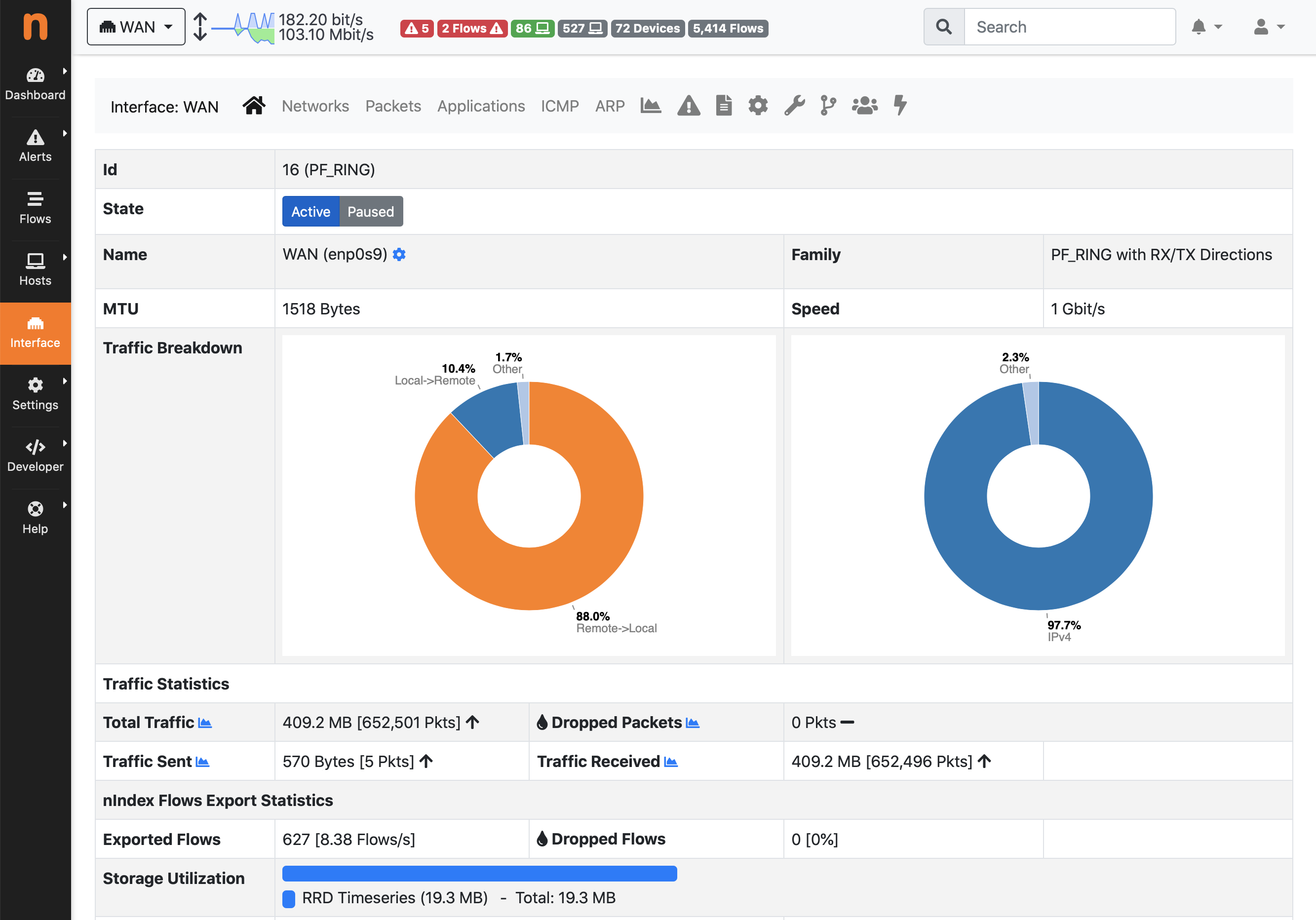
- Interface Details
-
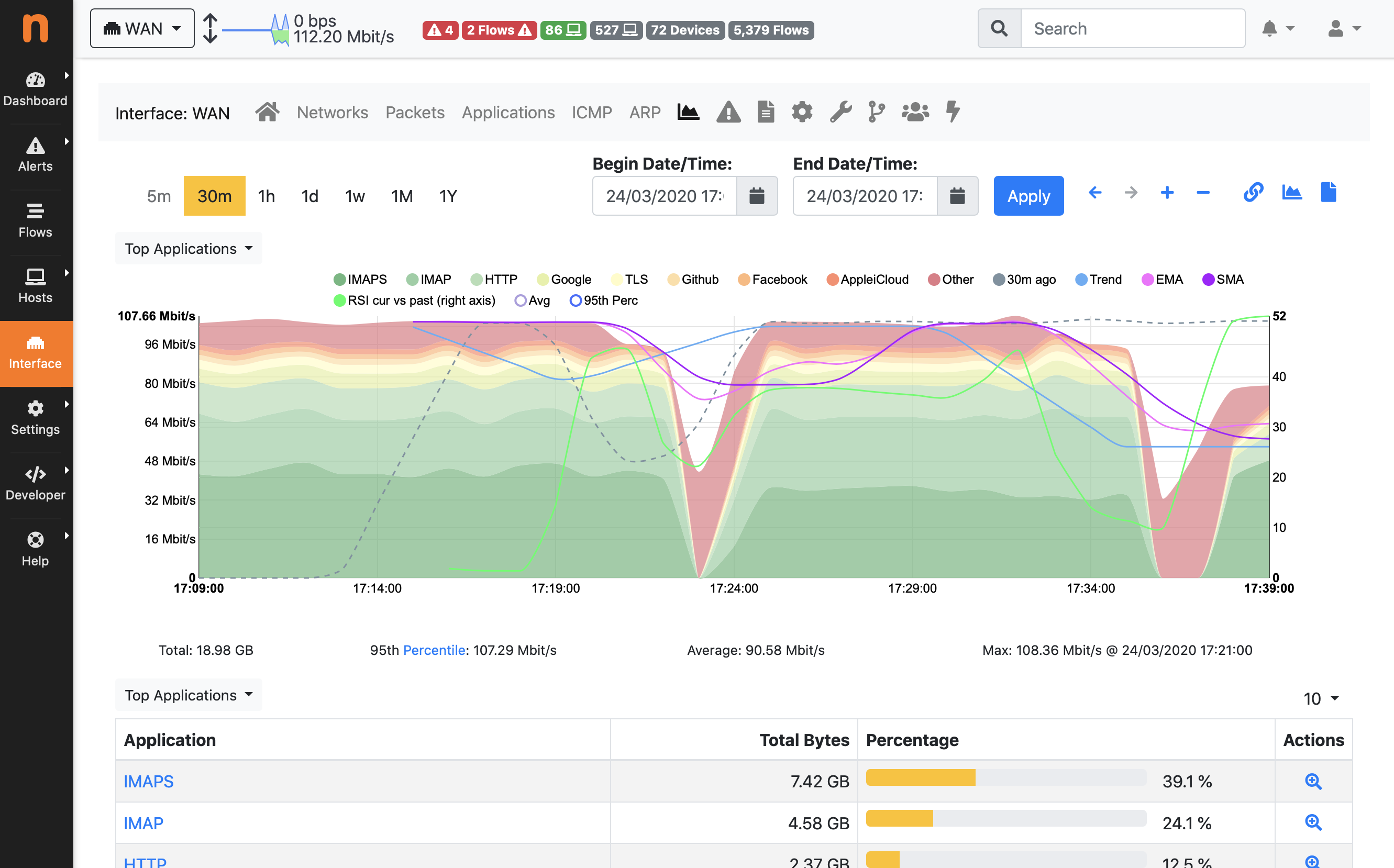
- Interface Historical Traffic
-
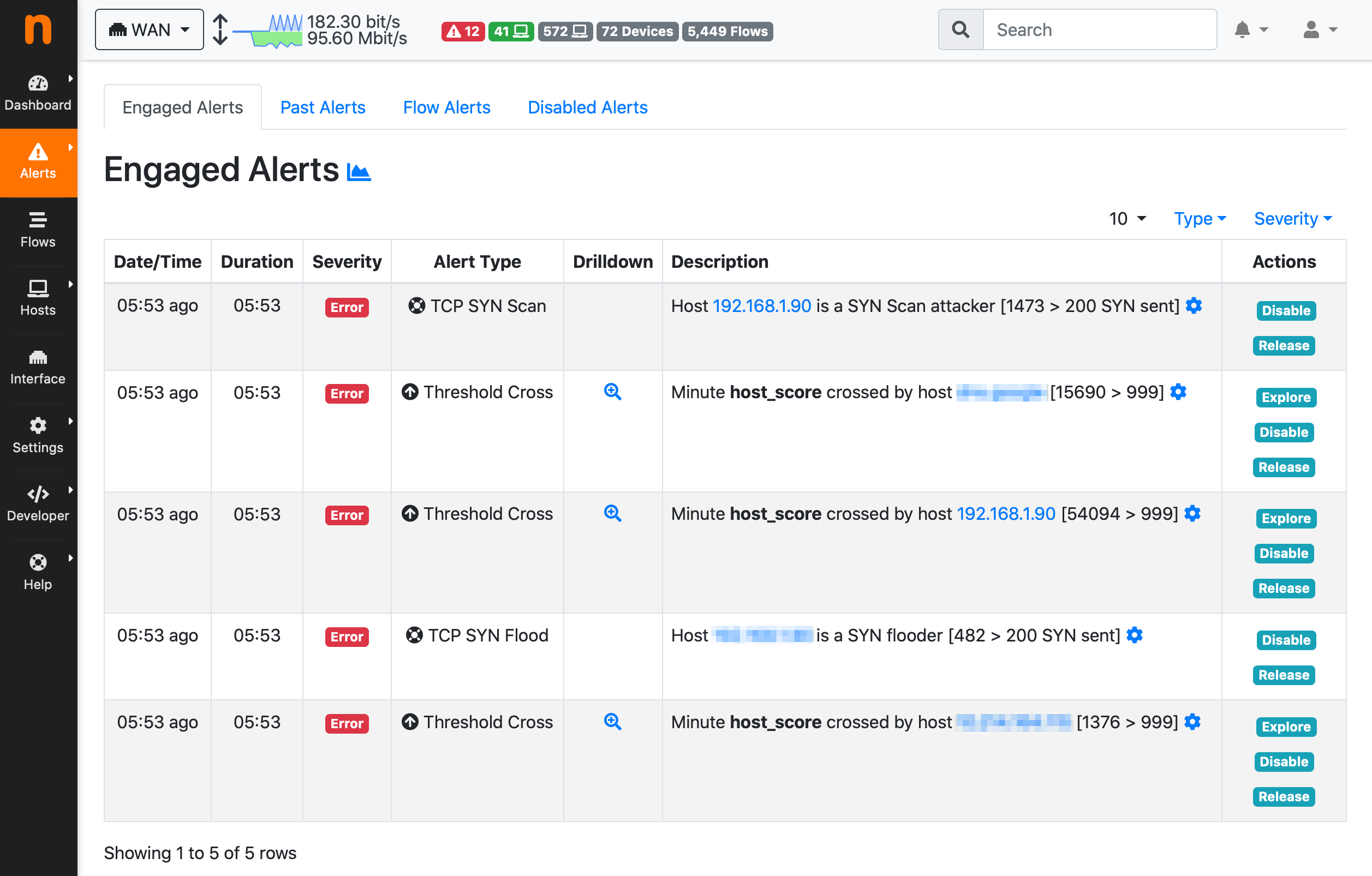
- Engaged Host Alerts
-
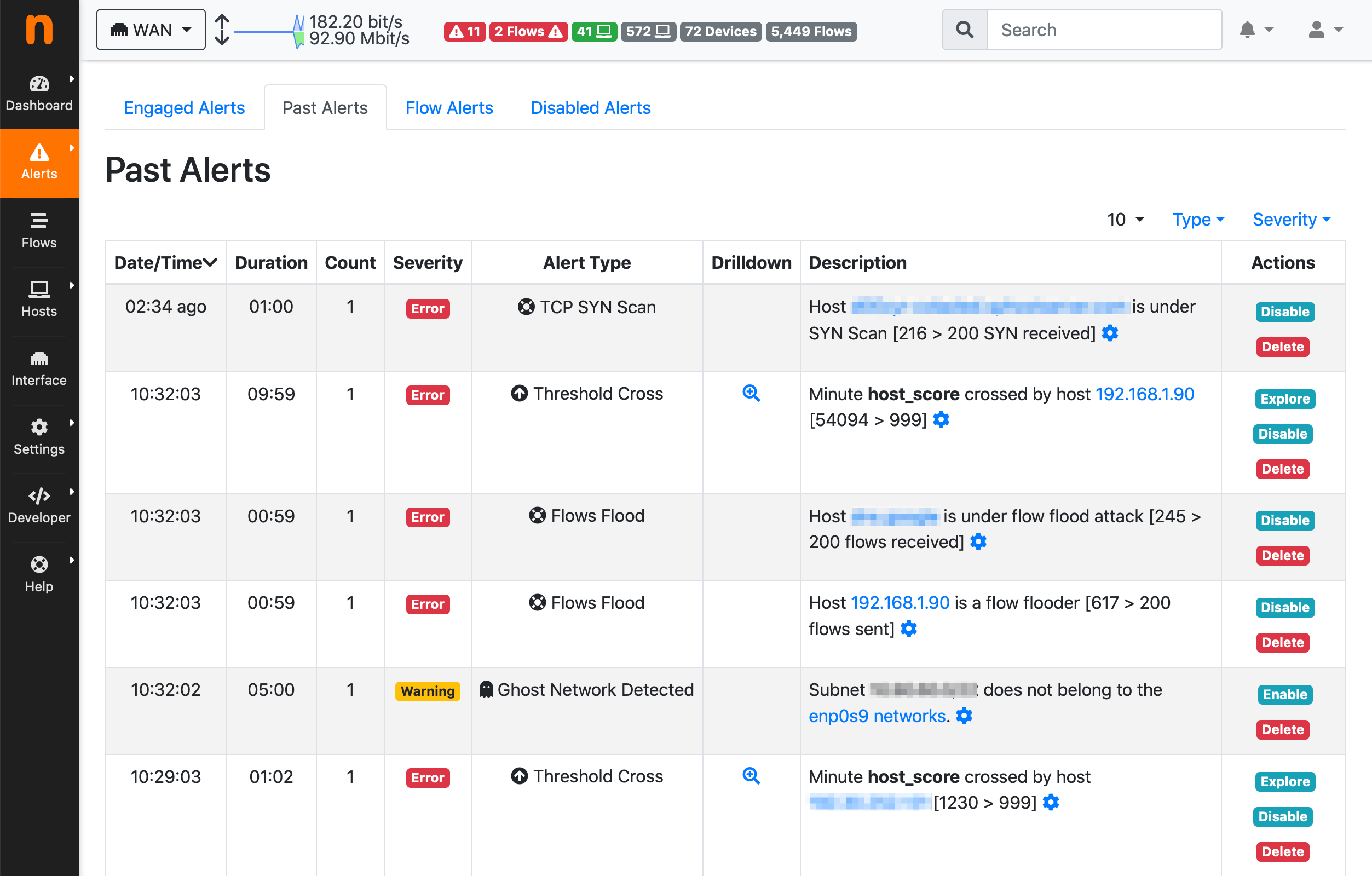
- Past Host Alerts
-
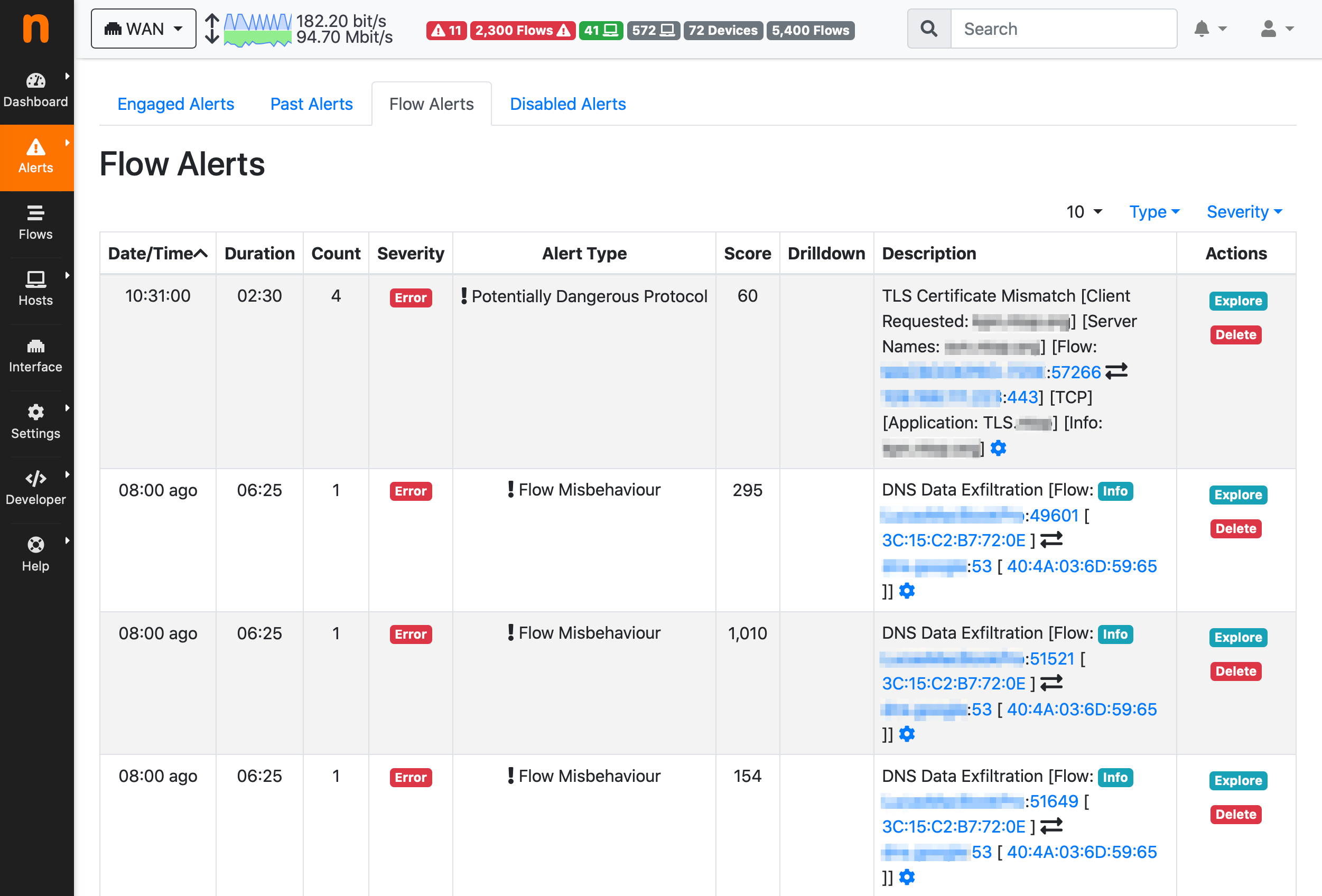
- Flow Alerts
-
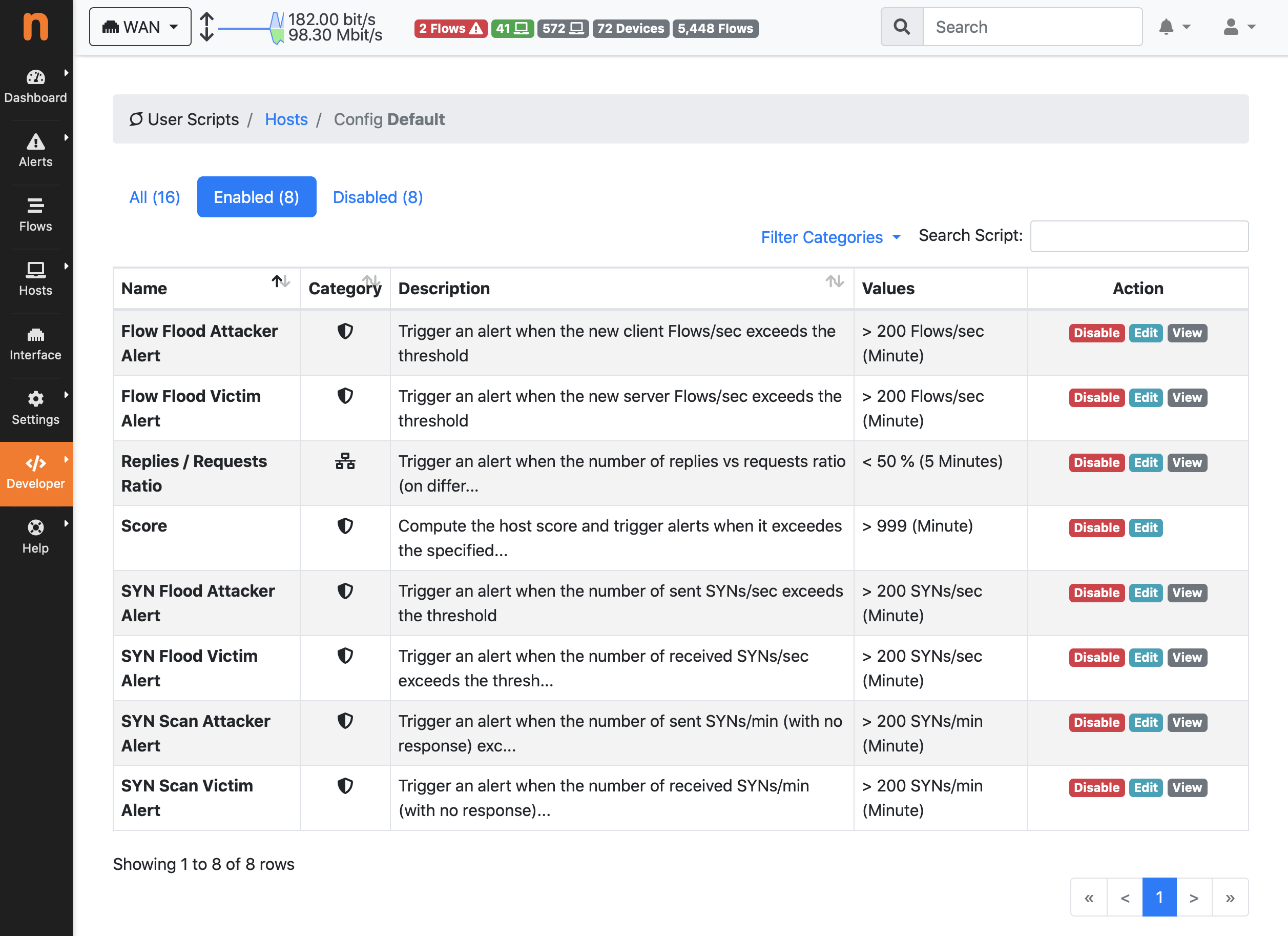
- Host Alerts Configuration
-
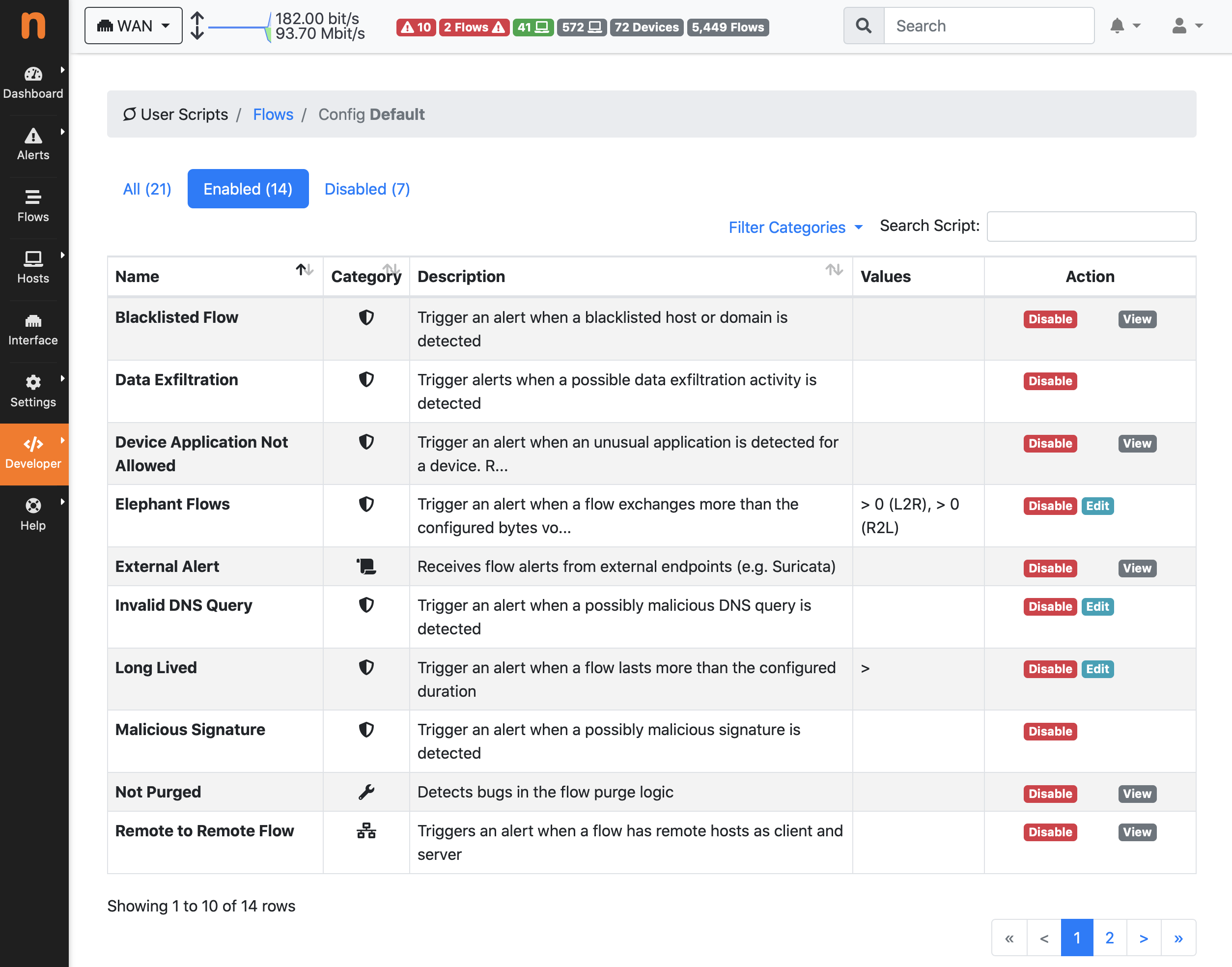
- Flow Alerts Configuration
-
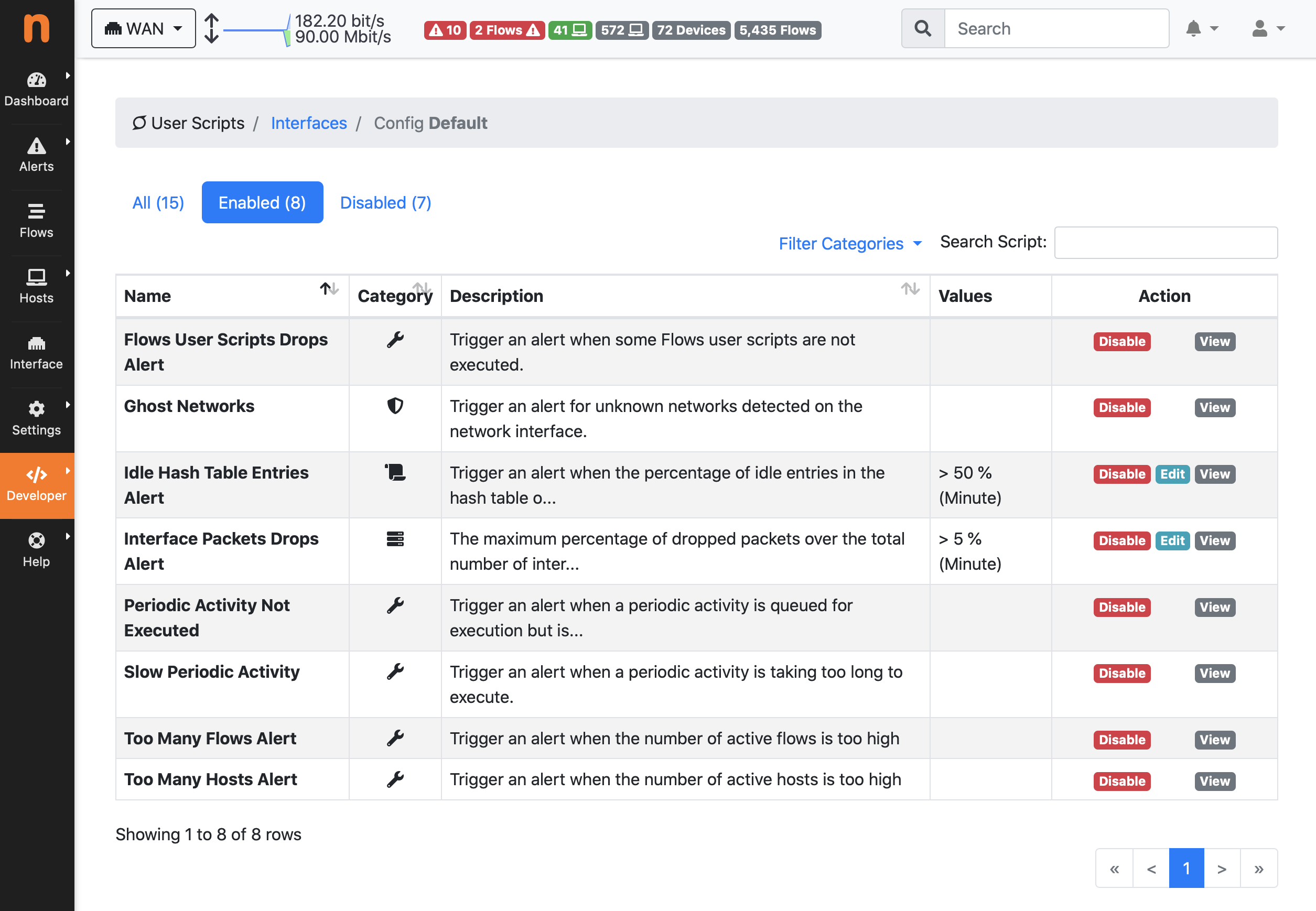
- Interface Alerts Configuration
-
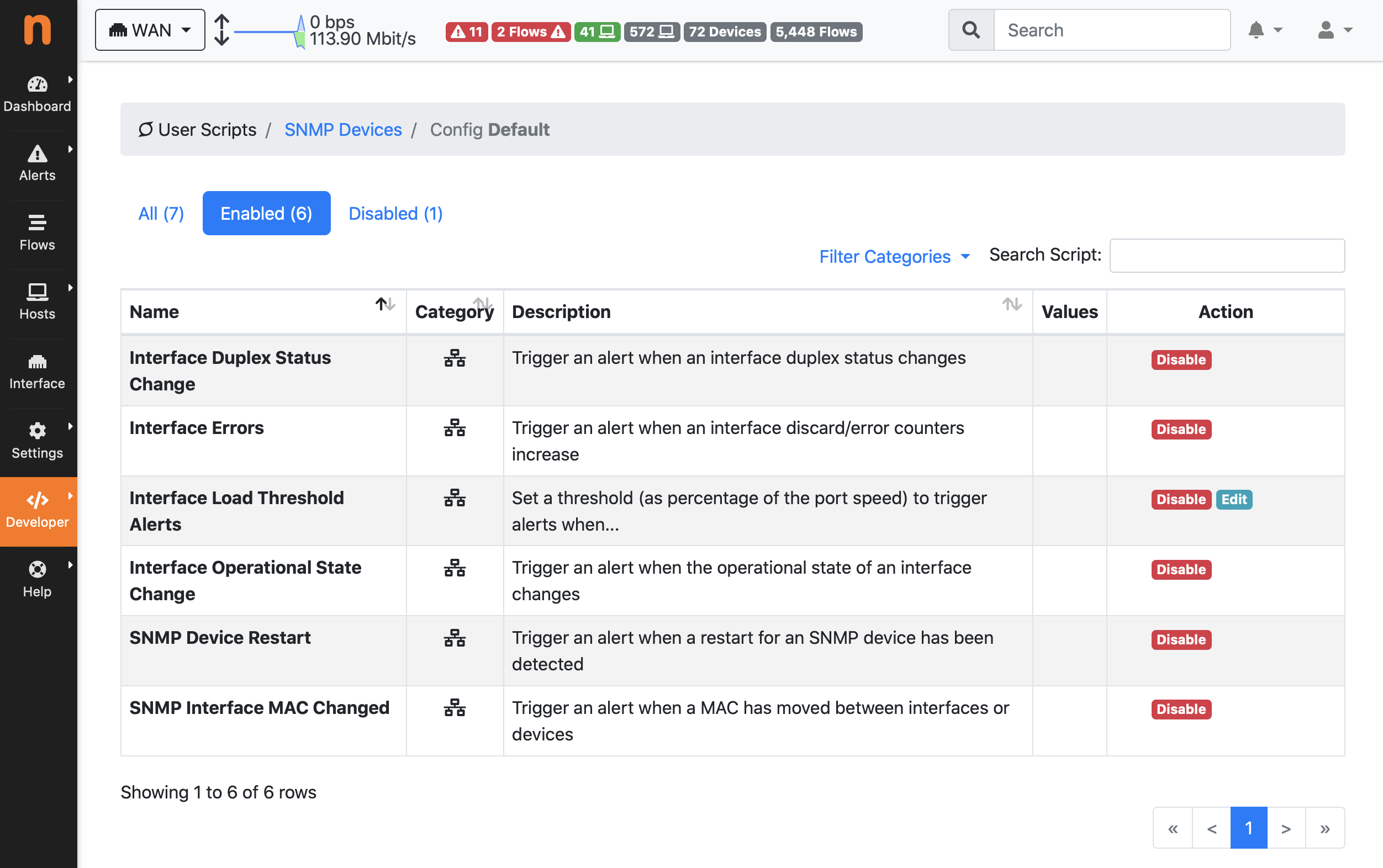
- SNMP Alerts Configuration
-
- Countries
-
- Hosts Geomap
-
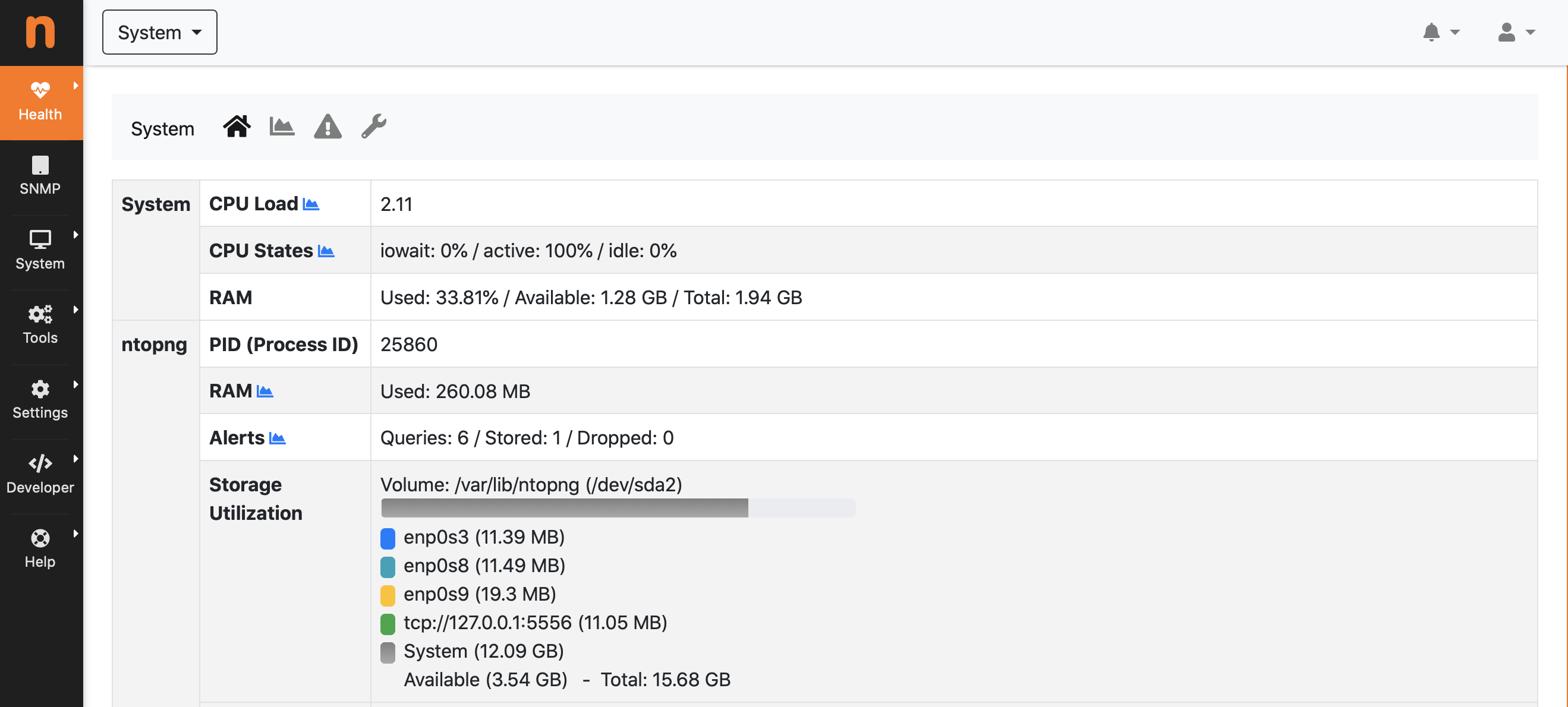
- System Interface Status
-
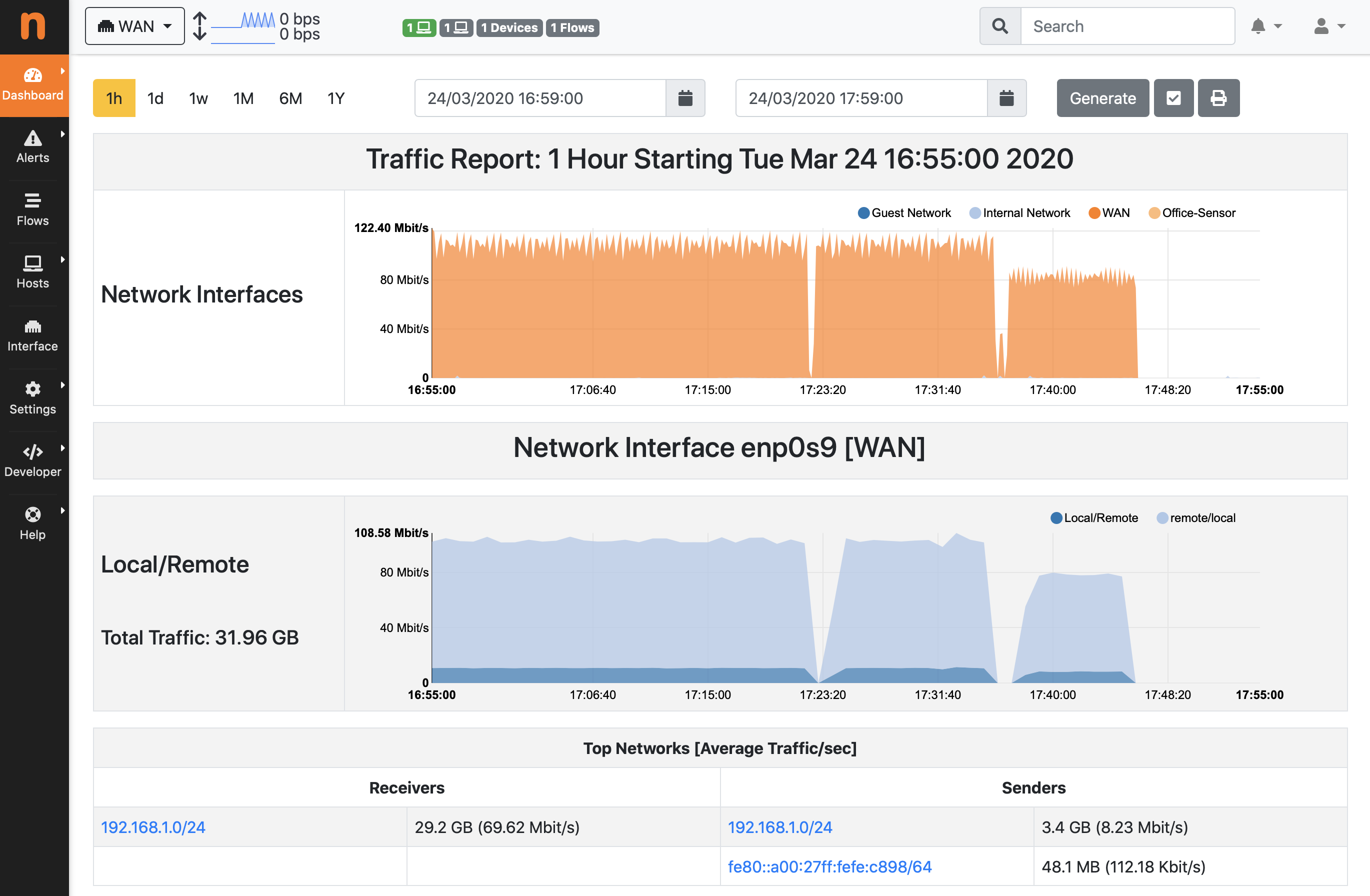
- Traffic Report 1/2
-
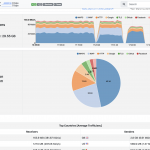
- Traffic Report 2/2